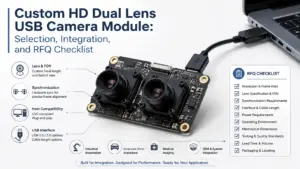
Choosing an OEM USB camera module is rarely just a matter of megapixels. A module that looks suitable on a product list may still create problems if the lens angle is wrong, the board does not fit the enclosure, the cable is too short, the host system needs a different driver path, or the image quality has not been tested under real lighting conditions.
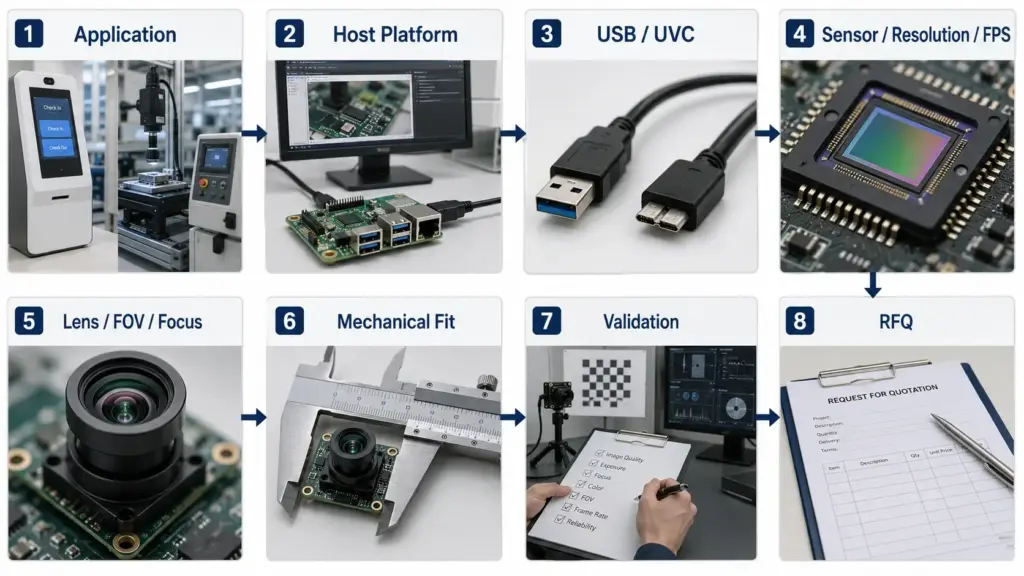
For OEM buyers, engineers, and procurement teams, the better starting point is the application. What will the camera see? Where will it be mounted? Which host platform will read the video stream? What frame rate, field of view, focus distance, and mechanical limits matter? These answers shape whether a standard USB camera module is enough or whether a modified or custom option needs review.
This guide explains how to compare OEM USB camera modules before supplier discussion and how to prepare a clearer RFQ.
Choose an OEM USB camera module by starting with the application and host system, then checking resolution, frame rate, sensor, USB/UVC requirements, lens and field of view, focus type, lighting conditions, board size, cable, connector, mounting, and validation needs. Before requesting a quote, prepare the application details, target image requirements, mechanical limits, quantity estimate, and any document requirements.
What Is an OEM USB Camera Module?
An OEM USB camera module is a camera board or module designed for integration into another product or system. Instead of being sold mainly as a finished consumer webcam, it is usually evaluated as a component for a device, kiosk, scanner, access system, industrial terminal, embedded platform, or other custom equipment.
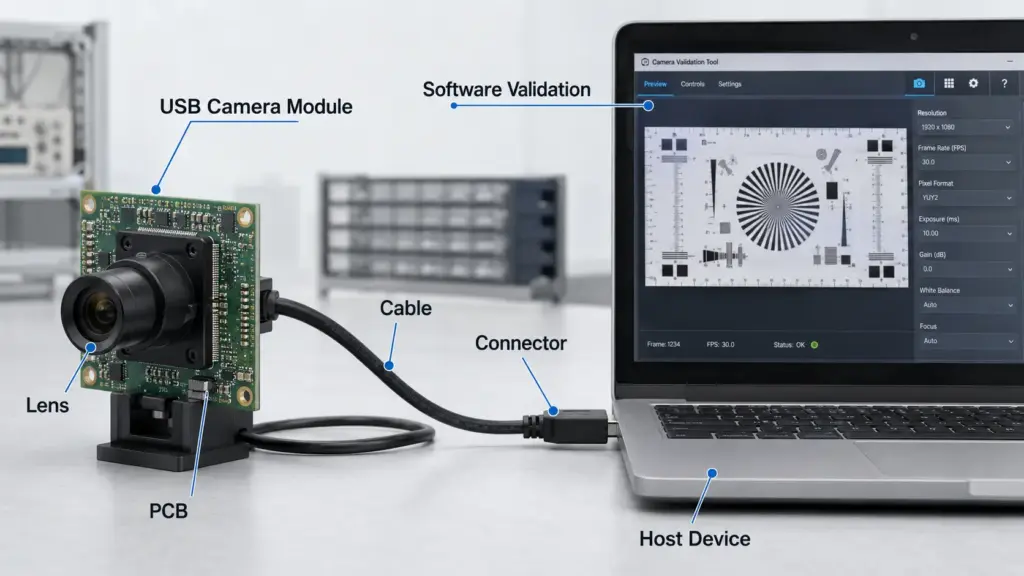
A typical USB camera module may include a sensor, lens, PCB, USB interface, connector, cable, and sometimes additional components depending on the design. For OEM use, the buyer often needs to confirm not only image specifications, but also whether the module can physically, electrically, and mechanically fit the final product.
The word “OEM” does not automatically mean every part can be customized. In practice, projects may use a standard module, request limited modifications, or require deeper custom development. The right path depends on the application, validation requirements, budget, timeline, and supplier capability.
OEM USB Camera Module Selection Matrix
Use the matrix below before comparing product names or asking for a quotation.
| Requirement | Parameter to Check | Why It Matters | Risk If Ignored |
|---|---|---|---|
| Image detail | Resolution, sensor size, output format | Affects how much detail the system can capture | Choosing by megapixels alone may not solve lighting, lens, or frame-rate issues |
| Motion capture | Frame rate, exposure behavior, host processing | Important for moving objects or real-time viewing | Video may blur, lag, or drop frames under actual conditions |
| Field of view | Lens angle, focal length, working distance | Determines how much of the scene is visible | The camera may see too little, too much, or distort the target area |
| Focus needs | Fixed focus, manual focus, autofocus | Affects clarity at the target distance | Image may be sharp in testing but unclear in the final enclosure |
| Lighting condition | Low light, backlight, IR needs, WDR/HDR needs | Lighting strongly affects image result | A module may perform differently in the real installation environment |
| Host compatibility | UVC support, operating system, application software | Affects driver and video-stream handling | The module may not work as expected with the target host |
| USB interface | USB 2.0 or USB 3.x class, cable, bandwidth needs | Affects video output options and system design | Higher image requirements may exceed the practical system path |
| Mechanical fit | PCB size, mounting holes, lens height, enclosure space | Determines whether the module can be installed | The camera may need redesign or modification late in the project |
| Cable and connector | Cable length, connector type, routing space | Affects assembly and reliability | Cable routing may fail inside the product housing |
| Validation | Sample testing, drawing review, software test, document needs | Reduces risk before approval | Problems may appear after tooling, enclosure, or production planning |
USB, UVC, and Host-Platform Validation
USB camera modules are often considered when the host system already supports USB video workflows, but the final integration still depends on the module, cable, driver path, operating system, and application software.
One important term is UVC, or USB Video Class. A UVC-compliant camera can often work with class-driver support instead of a fully custom camera driver. For example, Windows includes system-supplied USB Video Class driver support for UVC devices. Linux systems commonly use UVC/V4L2-related support for compliant devices.
That does not remove the need for testing. The final result still depends on the module firmware, output format, host operating system, cable, USB controller, application software, and actual video settings.
USB Interface Decision Table
| Question | What to Check | Practical Note |
|---|---|---|
| Is USB 2.0 enough? | Target resolution, frame rate, compression/output format, host limits | USB 2.0 may be suitable for many basic video needs, but demanding output requires validation |
| Is USB 3.x needed? | Higher data-rate requirements, host port support, cable and software path | Higher USB categories may support higher transfer-rate paths; use USB-IF USB 3.2 information as transfer-rate category context, but real output depends on the full system |
| Is UVC required? | Host OS, driver policy, application software, plug-and-play expectations | UVC can simplify compatibility, but the device and host should still be tested together |
| Will it run on Windows? | UVC behavior, Windows version, application capture method | Do not assume every setting works without host-side testing |
| Will it run on Linux, Raspberry Pi, Jetson, or custom embedded systems? | Kernel support, V4L2 behavior, USB controller, application stack | Confirm on the exact hardware and software environment |
| Does cable length matter? | Cable routing, signal stability, enclosure layout | Longer or poorly routed cables may create integration issues |
For engineering review, it is safer to ask for a sample and test the module on the target host instead of relying only on a specification table.
Related Supertek pages: Review Supertek’s USB Camera Module page for product-category context, or see the 2MP USB 3.0 camera module guide for a related specification-focused article.
Standard vs Modified vs Full-Custom Module Path
Not every OEM project needs full customization. Many projects can start with a standard module if the image, interface, lens, cable, and mechanical requirements already match the product design. Other projects need limited changes. Some require deeper development.
A useful rule is this: start with the closest standard module, then identify the specific gaps. If the gap is only lens angle, cable length, or connector direction, a modification review may be enough. If the sensor, PCB shape, firmware behavior, host interface, or validation requirement changes, the project may need deeper custom review.
Do not assume customization is available until the supplier confirms the exact item and the conditions for your project.
| Path | When It May Fit | What to Confirm | Risk to Watch |
|---|---|---|---|
| Standard module | Existing module fits the application, host, lens, cable, and enclosure needs | Datasheet, drawing, sample test, host compatibility | Faster evaluation, but may not fit final mechanical or image requirements |
| Modified module | Most requirements match, but one or more items need adjustment | Lens, FOV, focus, cable, connector, mounting, firmware behavior if applicable | Small changes can still affect validation, cost, or schedule |
| Full-custom module | Application has unique optical, mechanical, electrical, firmware, or validation needs | Custom scope, development process, sample approval, test plan, documentation | Requires clearer requirements and stronger project review before approval |
Application-Fit and Integration-Risk Table
| Application Scenario | Typical Concern | Specs or Details to Confirm | Test Condition |
|---|---|---|---|
| Kiosk or terminal | Face position, field of view, enclosure fit | Lens angle, working distance, board size, cable routing, host OS | Test with the final screen angle and user distance |
| Access control or identity capture | Lighting variation, image clarity, mounting angle | Sensor, exposure behavior, lens, IR or low-light needs if required | Test in the actual lighting range |
| Document or code scanning | Focus distance and edge clarity | Resolution, lens, focus type, working distance | Test with real documents, codes, and lighting |
| Industrial inspection | Motion, detail, vibration, software processing | Frame rate, exposure, lens, mounting stability, host capture software | Test with actual objects and process speed |
| IoT or embedded device | Power, space, host compatibility | USB interface, UVC behavior, PCB size, cable, software stack | Test on the final embedded board and OS |
| Security or monitoring device | Wide area view, low light, cable routing | FOV, low-light needs, mounting, enclosure, output format | Test day/night or low-light conditions if relevant |
| Regulated or document-sensitive device | Documentation and approval requirements | Exact regulatory/document needs from the project team | Do not rely on general claims; confirm required documents early |
This table does not mean one module is suitable for every scenario. It shows which questions to ask before choosing a module.
RFQ Checklist for OEM USB Camera Module Projects
A clear RFQ helps the supplier or engineering team understand the project faster. It also reduces back-and-forth caused by missing requirements.
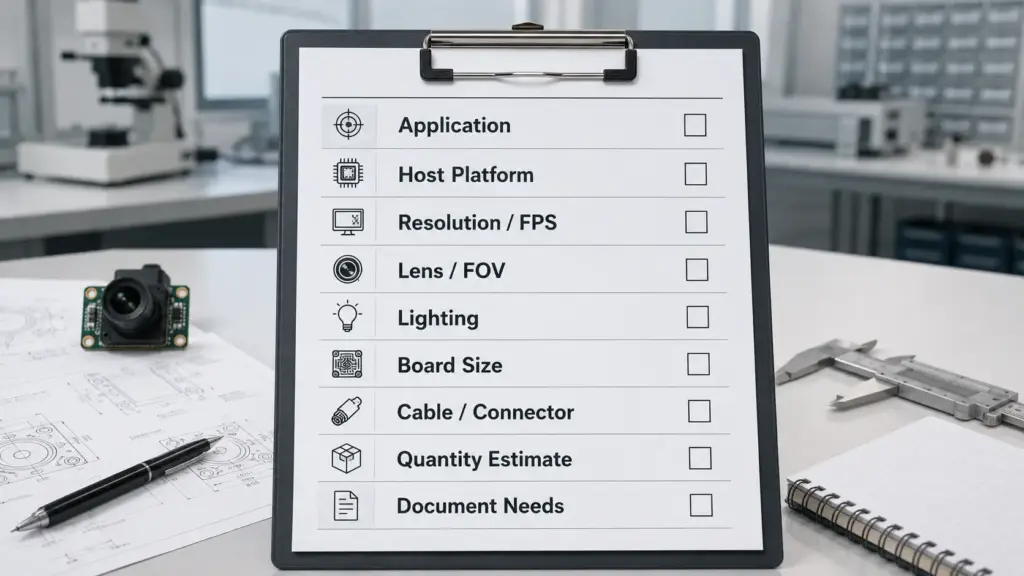
Before requesting a quote, prepare:
- Application or device type.
- Target use environment.
- Host platform, operating system, and software stack.
- Required resolution and frame rate.
- Preferred output format if known.
- USB interface requirement, such as USB 2.0 or USB 3.x.
- Whether UVC support is required.
- Lens angle or field of view.
- Working distance and focus requirement.
- Lighting conditions, including low-light or backlight concerns if relevant.
- PCB size or enclosure limits.
- Mounting hole or bracket needs.
- Cable length and connector direction.
- Quantity estimate or forecast range.
- Sample or validation expectations.
- Datasheet, drawing, test, or compliance-document needs.
- Target schedule, if there is one.
Avoid treating MOQ, lead time, price, and sample timing as fixed until the supplier reviews the final specification and project conditions.
Supplier and Document Questions to Ask Before Approval
Supplier evaluation should not depend on broad phrases like “best,” “high quality,” or “guaranteed.” For an OEM component, better questions are more useful.
Ask the supplier:
- Which existing module is closest to this requirement?
- Which items can be changed, and which cannot?
- Is the lens fixed, replaceable, or configurable?
- What field-of-view options are available for review?
- Can the cable length, connector, or connector direction be reviewed?
- Is a mechanical drawing available before enclosure design?
- Is a datasheet available for the selected module?
- What host systems or software environments should be tested?
- What sample-testing steps are recommended?
- What documents are available if the project requires compliance or quality review?
- Which claims require engineering confirmation before publication or purchase approval?
For regulated or high-risk applications, do not rely on general product descriptions. Ask the project team what documents are required, then confirm whether the supplier can provide them.
FAQ
What is an OEM USB camera module?
An OEM USB camera module is a camera component intended for integration into another device or system. It usually includes a camera sensor, lens, PCB, USB interface, and connection hardware. OEM buyers evaluate it for image needs, host compatibility, mechanical fit, validation, and sourcing requirements.
How do I choose an OEM USB camera module?
Start with the application, not the product title. Confirm what the camera must see, the host platform, resolution and frame-rate target, lens and field of view, focus distance, lighting condition, board size, cable and connector needs, mounting method, and validation requirements.
What specs matter most when selecting a USB camera module?
Important specs include sensor, resolution, frame rate, output format, USB interface, UVC support, lens, field of view, focus type, board size, cable, connector, and operating environment. The most important spec depends on the application and host system.
Do I need UVC support for a USB camera module?
UVC support is often useful when the host system is expected to use standard USB Video Class driver behavior. It may reduce driver complexity, but it does not remove the need to test the module with the target operating system, application software, USB controller, and video settings.
What is the difference between USB 2.0 and USB 3.x camera modules?
USB 3.x categories generally support higher transfer-rate paths than USB 2.0, which may matter for higher-resolution, higher-frame-rate, or less-compressed video. The final result still depends on the camera module, output format, cable, host hardware, and software stack.
When is customization needed for an OEM USB camera module?
Customization may be needed when a standard module does not fit the required lens angle, focus distance, board size, cable, connector, mounting, firmware behavior, or validation process. The supplier should confirm which changes are available for the specific project.
What should I prepare before requesting a quote?
Prepare the application, host platform, operating system, target resolution and frame rate, lens and field-of-view needs, working distance, lighting condition, mechanical limits, cable and connector requirements, quantity estimate, and any document or sample-testing needs.
Are 4K, low-light, wide-angle, or autofocus modules always better?
No. A higher specification is not always better for every project. A wide-angle lens may introduce distortion. Autofocus may not be needed for a fixed-distance application. A low-light or WDR requirement should be tested under real conditions before approval.
What documents or tests should I ask for before approval?
Ask for documents and tests based on your project risk. Common review items may include a datasheet, mechanical drawing, sample test, host-platform test, image test under real lighting, and any compliance or quality documents required by your project. Do not assume a document is available until the supplier confirms it.
Send Application and Integration Requirements for Review
For a more useful recommendation, prepare your application details before contacting a supplier. Share the host platform, target resolution and frame rate, lens and field-of-view needs, working distance, lighting condition, board-size limits, cable and connector requirements, quantity estimate, and document needs.
With those details, the supplier can review whether an existing USB camera module may fit or whether a modified or custom option needs further engineering discussion.