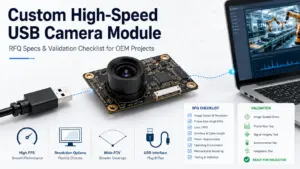
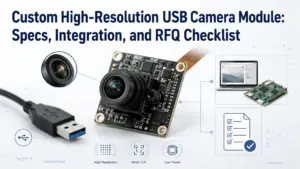
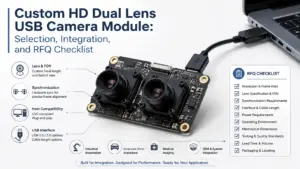
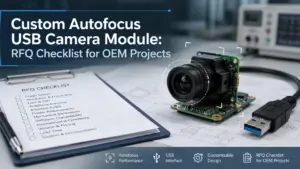
Choosing a custom high-speed USB camera module is not only a question of finding the highest FPS number on a product page.
For OEM products, embedded vision systems, inspection equipment, kiosks, scanners, robotics, and other integrated devices, the useful question is different: will the camera module deliver the required image result under your real host, cable, lighting, software, mechanical, and validation conditions?
A strong RFQ helps the supplier review feasibility faster. It also helps your engineering and procurement teams avoid vague requests such as “we need a fast USB camera” or “we need 1080p high FPS.” Those requests often lead to extra back-and-forth because they miss the conditions that affect final module selection.
This guide explains what to prepare before requesting a custom high-speed USB camera module, how to think about frame rate, USB interface, UVC behavior, customization scope, sample validation, and document questions before moving forward.
What Should You Prepare Before Requesting a Custom High-Speed USB Camera Module?
For a custom high-speed USB camera module RFQ, prepare your application, target resolution and frame rate, USB interface preference, output format, host platform, software environment, lens and field of view, cable and connector needs, board or mechanical limits, validation conditions, quantity stage, and document questions. Actual frame-rate fit should be checked under the final system conditions, not only by headline FPS.
RFQ Input Checklist for OEM Camera Module Projects
A useful RFQ does not need to be perfect. It should give the supplier enough information to understand the project, identify unclear areas, and suggest what needs to be reviewed.
| RFQ Item | What to Prepare | Why It Matters | If You Are Not Sure |
|---|---|---|---|
| Application | Product type, use case, working distance, object type, motion speed | Application affects sensor, lens, exposure, lighting, and validation needs. | Describe the use case in plain language. |
| Target image result | Required detail, image size, color/mono preference, low-light needs | The image result matters more than resolution alone. | Share sample images or target inspection criteria. |
| Resolution and frame rate | Target resolution and FPS, plus acceptable trade-offs | Higher resolution and higher FPS increase data and processing demands. | Give a target and minimum acceptable range. |
| USB interface | USB2.0, USB3.0, or open to recommendation | Interface affects bandwidth, host requirements, cable choice, and system design. | State your host device and data-rate expectations. |
| Output format | MJPEG, YUY2, RAW, or other required format if known | Format affects bandwidth, image quality, CPU load, and software handling. | Ask the supplier what formats are available. |
| Host platform | Windows, Linux, Android, embedded board, industrial PC, or other system | Host compatibility affects driver, UVC, software, and control behavior. | Provide host model, OS version, and software stack. |
| Lens and FOV | Lens type, field of view, focus distance, depth of field, distortion tolerance | Optics determine whether the target can be captured clearly. | Provide working distance and target size. |
| Cable and connector | Cable length, connector direction, connector type, space limits | Cable and connector choices affect integration and signal reliability. | Share device layout or connector constraints. |
| Board and mechanics | PCB size, mounting holes, orientation, enclosure limits, thermal concerns | Mechanical fit affects whether a module can be integrated into the final product. | Send drawings or space envelopes if available. |
| Validation conditions | Lighting, exposure, motion, cable length, host software, operating environment | Real performance should be checked under project conditions. | List expected test conditions. |
| Quantity stage | Prototype, pilot, or production planning | Stage affects review depth and communication priorities. | Use estimated ranges instead of fixed commitments. |
| Documents needed | Datasheet, drawing, sample report, compliance document, or other file needs | Procurement may need documents before approval. | Ask what documents are available for the exact module. |
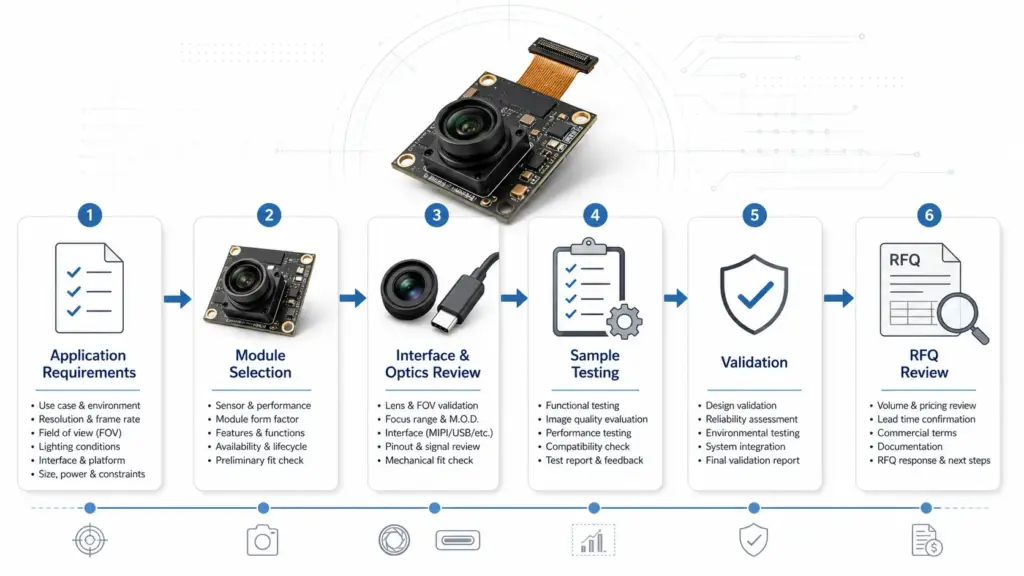
The goal is not to force every detail into the first message. The goal is to make the first review useful.
We need a USB camera module for an OEM device. Target image area is about [size] at [working distance]. We are considering [resolution/FPS], using [host/OS/software], with [USB2/USB3 preference if known]. Space is limited to [size], and we may need a specific lens, cable, connector, or board layout. Please review whether a standard module or customized direction is more suitable.
Headline FPS vs. Validated Frame Rate
Frame rate is one of the first specifications buyers look at, but it is also one of the easiest to misunderstand.
A module may show a headline FPS under a specific resolution, format, exposure, and host condition. Your project may use different lighting, a different output format, longer cable, different software, or a host platform with different processing limits.
That is why “high speed” should be treated as a validation question, not only a label.
| Headline Spec or Requirement | What Can Change in the Real Project | What to Validate |
|---|---|---|
| Target FPS | Resolution, exposure time, output format, host bandwidth, software processing | Whether the required FPS is stable under your final image settings. |
| Target resolution | Higher resolution increases data volume | Whether the host can receive and process the stream. |
| Output format | Compressed and uncompressed formats can affect bandwidth and CPU load | Whether image quality and processing load are acceptable. |
| Exposure setting | Short exposure may need stronger lighting; longer exposure can reduce motion capture quality | Whether the image remains usable under real lighting. |
| Lighting condition | Low or uneven lighting can affect exposure and image quality | Whether lighting supports the target frame rate and image result. |
| Cable length and connector | Longer or constrained cable designs may affect system reliability | Whether the selected cable and connector work in the device layout. |
| Host platform | Different operating systems, chipsets, USB controllers, and software stacks behave differently | Whether the camera works with the actual host and application software. |
| Mechanical and thermal setup | Enclosure, board placement, and heat can affect stability | Whether the module performs acceptably in the final device structure. |
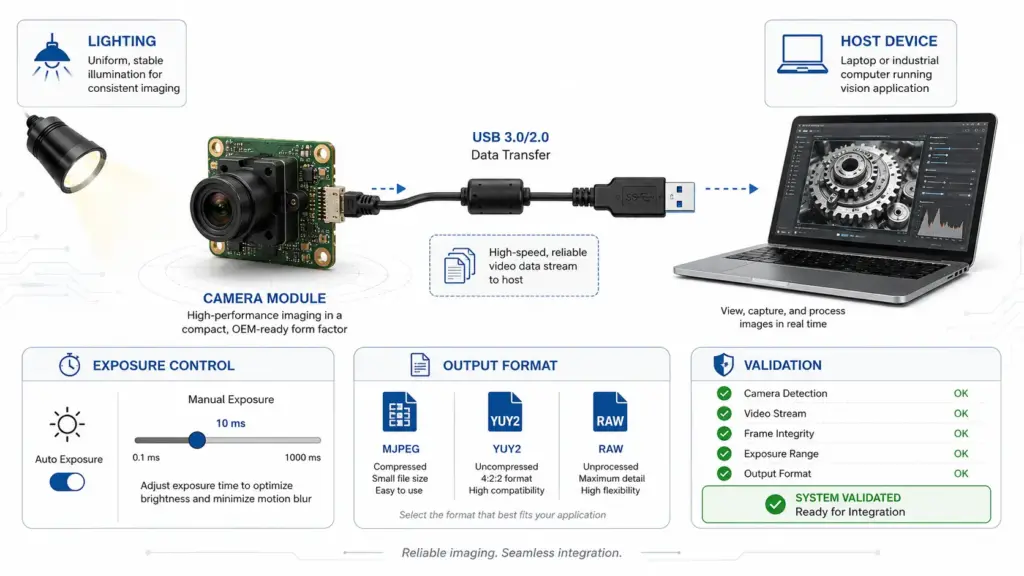
For engineers, the practical question is: what frame rate can be validated at the required resolution, output format, exposure, lighting, cable, host, and software condition?
USB2, USB3, UVC, and Host Compatibility
The USB interface affects bandwidth, host design, cable choice, and integration risk.
USB3.0 is often considered for higher-throughput projects, especially where resolution, frame rate, and uncompressed data requirements are higher. USB2.0 may still be suitable for simpler camera requirements, lower data rates, smaller images, or projects where the host and cable design favor USB2.0.
The right choice depends on the complete system.
| Decision Area | USB2.0 Considerations | USB3.0 Considerations | What to Confirm |
|---|---|---|---|
| Data throughput | May fit lower-resolution or lower-frame-rate needs | Often considered for higher-resolution or higher-frame-rate streaming | Required resolution, FPS, and output format. |
| Host support | Broad host availability, but still needs software testing | Requires USB3 host support and suitable controller behavior | Host device, OS, USB controller, and software stack. |
| Cable and connector | Often simpler, but still affected by length and layout | Higher data rates can make cable and connector choices more sensitive | Cable length, connector type, device routing. |
| Mechanical design | Smaller or simpler designs may be easier depending on the module | May require more attention to routing, connector, and board layout | PCB size, connector direction, enclosure fit. |
| Cost and complexity | May be enough for many projects | May add cost or integration complexity depending on design | Whether higher throughput is truly required. |
| Validation | Still needs image, host, and software testing | Needs careful system validation under final conditions | Test with real host and real software. |
UVC is also important, but it should not be treated as a magic shortcut.
A UVC camera module can support standard USB Video Class behavior on supported systems. This may simplify integration because the host can recognize the camera through standard video-class handling. However, the exact module, operating system, software, control behavior, image format, and host platform still need to be checked.
- UVC may reduce driver-development work in many cases.
- UVC does not guarantee that every camera control works exactly as expected in every application.
- UVC does not remove the need to test resolution, FPS, format, exposure, host software, and cable behavior.
- If the application depends on special controls, firmware behavior, synchronization, or image-processing requirements, those details should be discussed before sample approval.
Host platform: Linux-based embedded board. USB3 preferred. UVC behavior preferred if feasible. Application software needs access to exposure and gain controls. Please confirm available formats and control behavior for sample testing.
Customization Areas to Confirm Before Supplier Review
Customization can mean different things in different projects. One buyer may mean a different lens. Another may need a cable change, connector direction, board outline, firmware behavior, filter, or mechanical integration review.
Avoid assuming that every item can be changed freely. A safer approach is to list the requested areas and ask the supplier to confirm feasibility.
| Customization Area | What to Specify | Why It Matters | Safe RFQ Wording |
|---|---|---|---|
| Lens | FOV, focus distance, aperture, distortion tolerance, mount type if known | Lens choice affects image coverage, clarity, depth of field, and lighting needs | Please review lens options for this working distance and target size. |
| Field of view | Target area size and distance from camera | FOV determines whether the camera sees the required scene | Target area is about [size] at [distance]. |
| Cable | Length, flexibility, shielding needs, routing direction | Cable affects mechanical integration and signal stability | Please confirm suitable cable options for this layout. |
| Connector | Connector type, orientation, space constraints | Connector fit can determine whether the module can be installed | We have limited space near the connector; please review options. |
| PCB or board layout | Board size, mounting holes, orientation, component height | Mechanical fit affects product assembly | Please review whether the board can fit this space envelope. |
| Firmware or output behavior | Format, UVC controls, startup behavior, exposure/gain needs | Software behavior affects integration and validation | Please confirm available output formats and control behavior. |
| Filter or optical requirement | IR filter, no filter, special optical condition if needed | Optical stack affects color, IR response, and application fit | Please review filter options for this application. |
| Housing or mechanical integration | Enclosure limits, mounting structure, heat or dust concerns | Mechanical structure affects installation and sample testing | Please review mechanical fit before sample selection. |
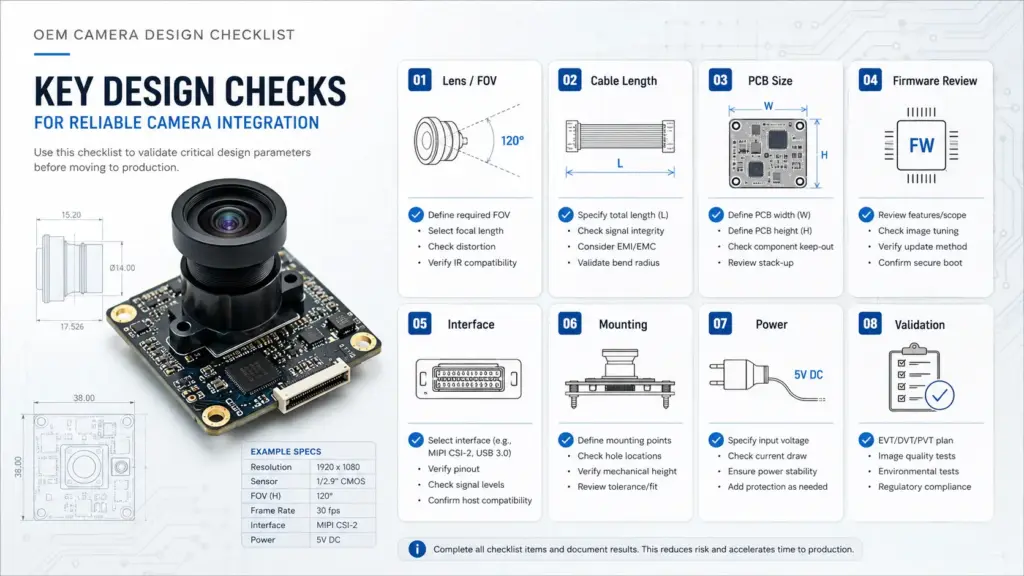
The important word is review. Feasibility depends on the sensor, board design, interface, cable, connector, lens, order stage, validation needs, and engineering constraints.
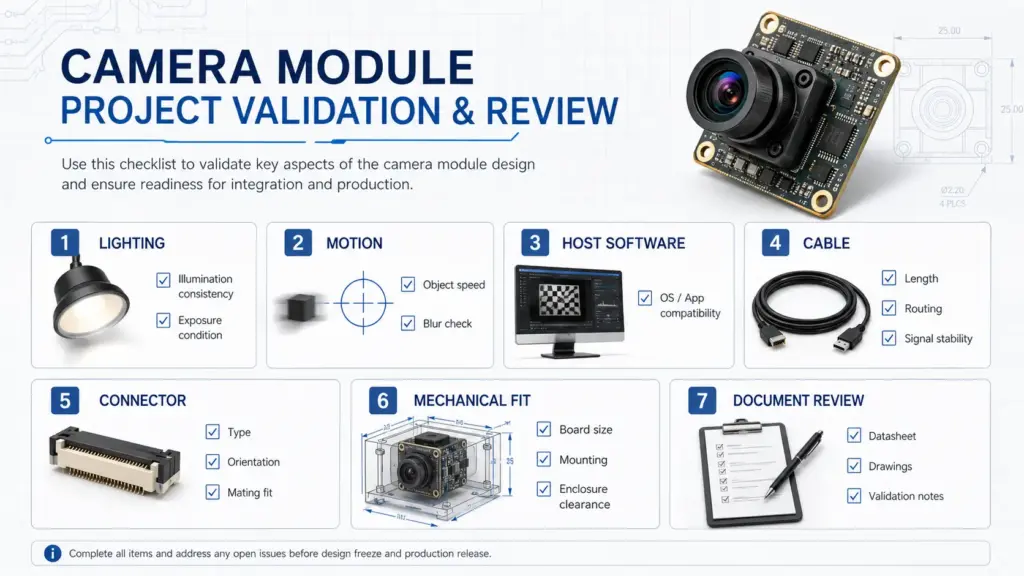
Sample Validation Checklist Before Production Planning
A sample is not the same as a production-ready approval. Before moving from sample review to production planning, the engineering team should test the camera module in conditions that resemble the final product.
| Validation Area | What to Check | Why It Matters |
|---|---|---|
| Image result | Is the target visible with enough detail? | Confirms that resolution, lens, FOV, and lighting fit the application. |
| Frame rate | Does the stream meet the required FPS under final settings? | Avoids relying only on headline specifications. |
| Resolution and format | Are selected modes available and usable? | Confirms camera output matches the software and host. |
| Exposure and lighting | Does the image remain usable under real lighting? | High-speed capture often depends on exposure and light level. |
| Motion condition | Is motion blur acceptable? | Important for moving objects, inspection, scanning, and robotics. |
| Host platform | Does the camera behave correctly on the final OS and hardware? | Host differences can affect stability and controls. |
| Application software | Can the software access required modes and controls? | Integration depends on more than physical connection. |
| Cable and connector | Does the selected cable/connector work in the real layout? | Mechanical and signal issues may appear during integration. |
| Mechanical fit | Does the module fit the enclosure and mounting design? | Prevents late-stage redesign. |
| Thermal and operating condition | Does the module remain stable in expected use conditions? | Enclosure and operating environment can affect reliability. |
| Document needs | Are required drawings, datasheets, or other files available? | Procurement and engineering may need records before approval. |
This checklist is not a substitute for project-specific testing. It is a way to prevent missing basic validation points before production discussion.
Documents and Questions to Ask Before Moving Forward
Procurement teams often need more than a quotation. They may need technical files, drawings, revision information, sample notes, or other documents before approving the next step.
Because document availability depends on the exact module and project, the safe approach is to ask what is available instead of assuming every document exists.
- Is a datasheet available for the selected module or proposed configuration?
- Are mechanical drawings available for board size, mounting holes, lens position, and connector placement?
- Are electrical or interface details available for the selected USB configuration?
- Which image formats, resolutions, and frame-rate modes are available for review?
- What host platforms or software conditions should be tested before approval?
- Are sample validation notes or test suggestions available for this configuration?
- Are any compliance, certification, or material documents available for this exact module and application?
- What information is needed from the buyer before feasibility review can continue?
For regulated, safety-sensitive, medical, automotive, or compliance-driven applications, do not rely on general product descriptions. Ask for the exact documents needed for the application and confirm the review process with engineering, quality, or compliance stakeholders.
FAQ
What should I include in an RFQ for a custom high-speed USB camera module?
Include the application, target image result, resolution and frame-rate target, USB2 or USB3 preference, output format, host platform, software environment, lens and FOV needs, cable and connector requirements, board or mechanical limits, validation conditions, quantity stage, and document questions. If some details are unknown, describe the use case and ask the supplier to review options.
What does “high speed” mean for a USB camera module?
In buyer discussions, “high speed” usually refers to the camera module’s ability to capture or stream at a required frame rate under defined resolution and output conditions. The exact meaning depends on the project. A useful RFQ should state the required resolution, FPS, output format, exposure condition, host platform, and software environment.
Why can actual FPS differ from headline FPS?
Actual FPS can differ because the final system may use a different resolution, output format, exposure time, lighting condition, cable, host controller, operating system, or software stack. A headline FPS number should be checked under the project’s real validation conditions before production planning.
Is USB3 always better than USB2 for camera modules?
No. USB3.0 is often considered for higher-throughput requirements, but USB2.0 may still fit simpler or lower-data applications. The better choice depends on resolution, frame rate, output format, host support, cable design, mechanical limits, cost, and validation results.
Does UVC mean the USB camera module works without a custom driver?
UVC can simplify integration on supported systems because it follows USB Video Class behavior. But UVC does not remove all integration checks. The module, operating system, host software, camera controls, output formats, and performance settings still need to be tested in the final environment.
Can lens, FOV, cable, connector, or board layout be customized?
These areas may be part of a customization discussion, but feasibility depends on the exact project. Provide working distance, target area, space limits, connector needs, cable routing, host platform, and validation requirements so the supplier can review whether a standard module or customized direction is more suitable.
Send Requirements for Technical Review
If you are preparing a custom high-speed USB camera module project, start with the practical details.
Share your application, target resolution and FPS, USB interface preference, output format, host platform, software environment, lens and FOV needs, cable and connector requirements, board or mechanical limits, quantity stage, validation conditions, and document questions.
Supertek can then review whether an existing USB camera module or a customized direction may fit the project requirements.