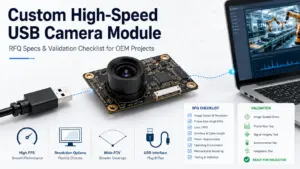
Choosing a fisheye USB camera module manufacturer is not just a matter of finding the widest viewing angle or the highest megapixel count. For OEM, embedded vision, robotics, smart device, and industrial projects, the right module depends on how the camera will be used, where it will be installed, what the host system can support, and what needs to be validated before samples or production.
A product page can show useful specifications. It cannot always tell you whether the module will fit your enclosure, work with your software, handle your lighting conditions, or meet your project’s document requirements. That is why the selection process should start before the RFQ.
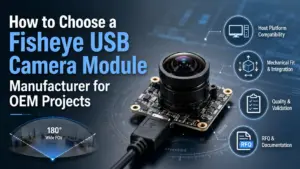
How to Choose a Fisheye USB Camera Module Manufacturer
Choose a fisheye USB camera module manufacturer by matching the module to your application first. Confirm the required field of view, acceptable lens distortion, resolution, frame rate, USB/UVC behavior, host platform, board size, cable, mounting, lighting, and validation needs. Then send these details to the supplier so the module, sample, or OEM review can be discussed with fewer assumptions.
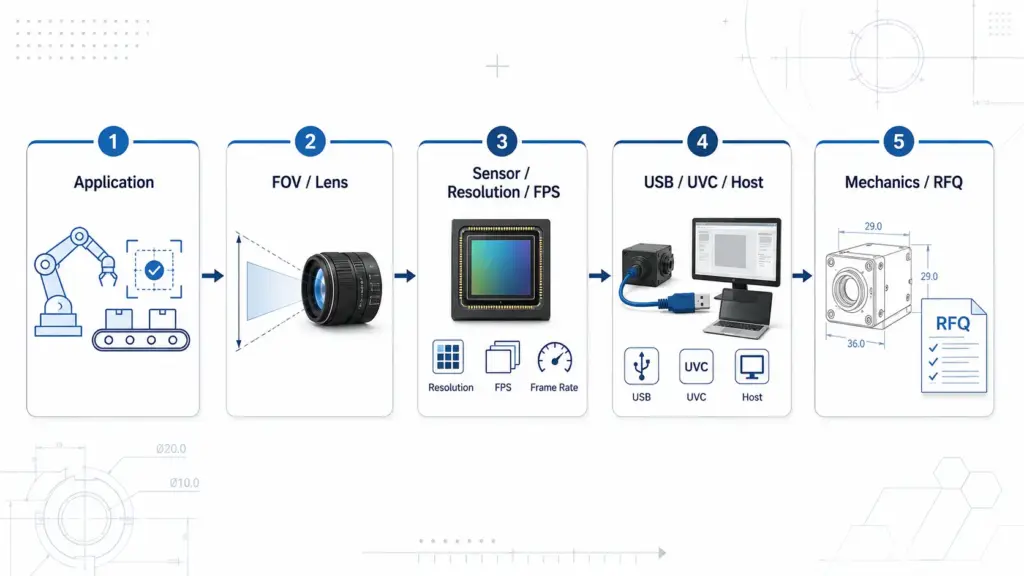
Start With the Application, Not the Viewing Angle Alone
A fisheye lens is often selected because the project needs very wide scene coverage. But a wider field of view is not automatically better. It may also introduce edge distortion, reduce useful detail in parts of the image, or require software correction depending on the application.
Before comparing manufacturers, define the application clearly:
- What area must the camera see?
- Is the camera used for monitoring, navigation, inspection, recognition, or user interaction?
- Is edge distortion acceptable?
- Will software correct distortion?
- What working distance and lighting conditions are expected?
- Does the camera need to fit inside a fixed enclosure?
- What host platform and operating system will receive the video?
- Is the project using a standard module, or does it require OEM review?
A buyer comparing fisheye USB camera modules by headline angle alone may miss integration issues that appear later. A better approach is to describe the target image and the system environment first, then compare camera module options.
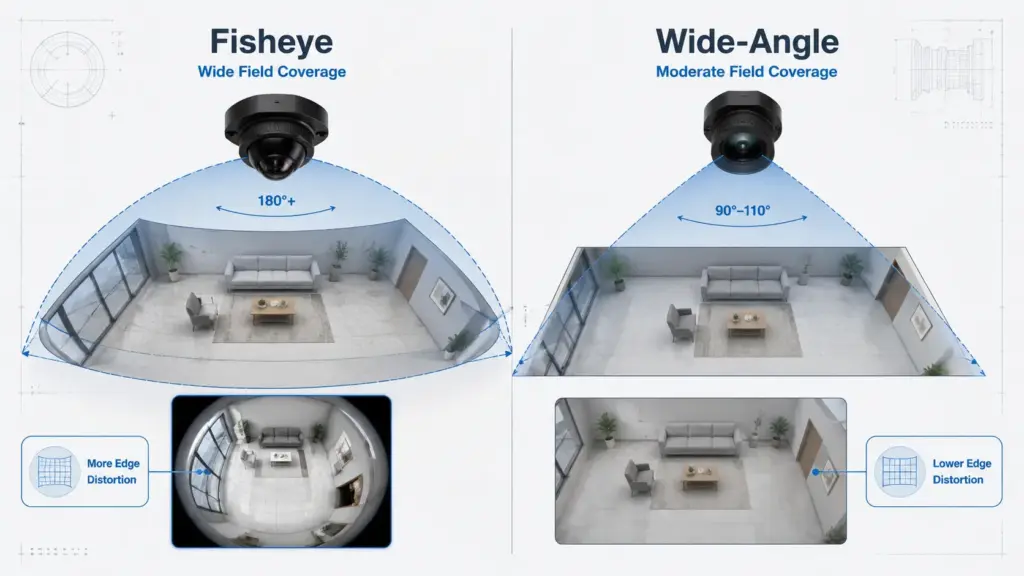
Fisheye vs Wide-Angle USB Camera Modules
“Fisheye” and “wide-angle” are sometimes used loosely in product searches, but they are not always the same decision in engineering terms. Both can capture more scene area than a narrow lens, but the practical trade-off is usually coverage versus distortion.
| Option | Best Fit | Main Selection Concern | What to Confirm Before RFQ |
|---|---|---|---|
| Fisheye USB camera module | Very wide scene coverage, close-range monitoring, compact devices, panoramic-style views | Visible distortion, edge detail, software correction needs | Required field of view, acceptable distortion, target image area, correction needs |
| Wide-angle USB camera module | Wider view with less extreme distortion in many applications | May not cover as much area as fisheye | Lens angle, target scene width, working distance, enclosure limits |
| Low-distortion wide-angle module | Applications where image shape accuracy matters more | May cost more or offer less extreme coverage | Distortion tolerance, measurement needs, software requirements |
| Custom/OEM lens review | Enclosure, viewing angle, or imaging target differs from standard products | Requires project-specific review | Board size, lens height, cable, connector, target image, quantity stage |
For many OEM projects, the practical question is not “fisheye or wide-angle?” but “what field of view and distortion level can the application accept?” If the image is only for broad awareness, distortion may be acceptable. If the image is used for measurement, recognition, or software processing, distortion and image detail need closer review.
Key Specifications to Compare Before Contacting a Manufacturer
A good RFQ should help the supplier understand both the optical target and the system constraints. The table below can be used as a first screening matrix before contacting a fisheye USB camera module manufacturer.
| Buyer Question | What to Compare | Why It Matters | What to Confirm With the Supplier |
|---|---|---|---|
| What must the camera see? | Application, target area, working distance | Defines whether fisheye coverage is needed | Scene size, camera position, distance, lighting |
| How wide should the view be? | Field of view and lens type | Wider view can increase distortion | FOV requirement and acceptable distortion |
| How much detail is needed? | Resolution and useful image area | High resolution does not always mean useful detail across the full image | Target detail level, image crop, software use |
| Is motion important? | Frame rate and exposure conditions | Moving scenes may need higher frame rate or better lighting control | Required FPS under real conditions |
| What host receives the video? | USB version, UVC behavior, OS, software | Interface mismatch can delay integration | Host platform, OS, application software |
| Will it fit mechanically? | Board size, lens height, cable, connector, mounting | Mechanical mismatch can block integration | Available space, cable route, mounting method |
| What documents are needed? | Datasheet, drawing, sample test information, compliance documents if required | Procurement and validation may need documentation | Ask what is available for the project |
| What stage is the project in? | Prototype, sample, pilot, production planning | Stage affects review depth and inquiry detail | Quantity stage and validation plan |
Optical and Image Requirements
For fisheye USB camera modules, optical requirements should be described in application language, not only in lens language.
Useful details include:
- Required viewing area
- Camera-to-object or camera-to-scene distance
- Target image detail
- Whether edge distortion is acceptable
- Whether distortion correction will be handled by software
- Lighting conditions
- Whether the image is for human viewing, algorithm processing, recording, navigation, or inspection
A wider lens can capture more area, but it may also change how objects appear near the image edge. If the project depends on object shape, measurement, recognition, or software analysis, the acceptable distortion range should be discussed early.
USB, UVC, Host Platform, and Software Fit
Many USB camera modules are promoted as plug-and-play. That can be helpful, but it should not be treated as a universal compatibility guarantee.
USB-IF publishes the USB Video Class specification document set, and Microsoft documents Windows support for UVC devices through its system-supplied UVC driver. In practice, the exact device, operating system, video format, resolution, frame rate, firmware behavior, cable length, and application software still need to be confirmed.
| Compatibility Item | What to Check | Why It Matters |
|---|---|---|
| Host platform | Windows, Linux, Android, embedded board, or other host | Driver and software behavior can differ |
| USB version | USB 2.0, USB 3.0, or other interface requirement | Bandwidth affects resolution and frame rate options |
| UVC behavior | Whether the exact module works as expected with the host | UVC support does not remove all integration checks |
| Output format | MJPEG, YUY2, H.264, or other formats if applicable | Software may support only certain formats |
| Resolution and FPS | Required settings under real operating conditions | Higher settings may require more bandwidth or processing |
| Cable and connector | Cable length, connector type, routing | Signal and mechanical fit can affect reliability |
| Application software | Camera app, SDK, machine vision software, browser, or custom software | Recognition by the OS is not the same as application-level success |
| Firmware or settings | Exposure, white balance, image orientation, crop, or correction needs | Project-specific image behavior may require adjustment |
For a low-risk RFQ, state the host platform and software environment early. This helps the supplier respond with more relevant module options or review questions.
Mechanical Fit and Integration Limits
Mechanical details are easy to overlook during early product search. They often become important when the camera must fit into an enclosure or embedded device.
Prepare these details before asking for a module recommendation:
- Board size limit
- Lens height limit
- Mounting position
- Enclosure opening size
- Cable length and direction
- Connector type
- Operating space around the lens
- Expected assembly constraints
- Whether a standard module layout is acceptable
A fisheye lens may require more physical clearance than a narrow lens. If the lens must sit behind a cover window, protective housing, or device shell, the enclosure can affect the usable image. These constraints should be part of the first technical discussion.
Standard Module or Custom/OEM Review?
A standard fisheye USB camera module may be enough when the application can accept the available lens, board size, cable, connector, output behavior, and mechanical layout. A custom or OEM review becomes more relevant when the project has constraints that standard listings do not address.
Ask for project review when you need to confirm:
- A specific field of view or distortion tolerance
- Board size or lens height limits
- A special cable length or connector direction
- Enclosure or mounting constraints
- Host platform or software behavior
- Output format or camera setting requirements
- Document needs for procurement or validation
- Sample testing before moving forward
This section should be treated as inquiry guidance, not as a promise that every requested change is available. The safe question is: “Can this requirement be reviewed for my project?” not “Can every camera module be customized?”
For related project-preparation guidance, review Supertek’s OEM fisheye video camera module processing guide.
Application-Fit Table for Fisheye USB Camera Module Projects
Fisheye USB camera modules are used in different project types, but one module should not be assumed to fit every application. The selection concern changes with the system.
| Application Type | Typical Need | Selection Concern | RFQ Detail to Send |
|---|---|---|---|
| Security or monitoring device | Wide scene awareness | Edge distortion, low-light behavior, enclosure position | Scene area, lighting, mounting position, required output |
| Robotics or navigation | Broad environmental view | Latency, host processing, distortion handling | Host platform, frame rate need, software use, mounting angle |
| Drone or mobile device | Compact module with wide view | Weight, vibration, cable routing, image stability | Size limits, cable direction, use environment, target view |
| Industrial equipment | Embedded visual monitoring or inspection support | Lighting, enclosure, repeatability, software integration | Working distance, lighting, target detail, host software |
| Smart terminal or kiosk | Wide user-facing image | Lens placement, privacy angle, mechanical design | Mounting height, enclosure opening, host OS, output format |
| Machine vision prototype | Test image capture for development | Image format, driver behavior, software compatibility | OS, software, resolution/FPS, format, validation plan |
The goal is to match the module to the project condition. A module that works well for broad monitoring may not be the right choice for measurement or recognition. A module that fits a prototype may still need mechanical or software review before production planning.
What to Send in an RFQ
A clear RFQ helps both technical and procurement teams. It reduces back-and-forth and helps the supplier understand whether a standard module, sample discussion, or OEM review is more appropriate.
| RFQ Item | What to Provide |
|---|---|
| Application | Device type, use case, industry, target environment |
| Target image | What the camera must see and how the image will be used |
| Field of view | Desired view angle or scene coverage |
| Distortion tolerance | Whether edge distortion is acceptable or needs correction |
| Resolution and frame rate | Required image size and motion requirement |
| Interface | USB version and expected UVC behavior if relevant |
| Host platform | OS, embedded board, processor, or software environment |
| Output format | Preferred video format or software input requirement |
| Mechanical limits | Board size, lens height, enclosure, mounting position |
| Cable and connector | Connector type, cable length, direction, routing |
| Lighting conditions | Indoor, outdoor, low light, controlled lighting, variable lighting |
| Quantity stage | Prototype, sample, pilot, or production planning |
| Documents | Datasheet, drawing, test information, compliance documents if required |
| Validation needs | What must be tested before the project moves forward |
Do not rely on the RFQ to solve every unknown. Use it to start the right technical conversation. If you are not sure about a specification, describe the application condition instead.
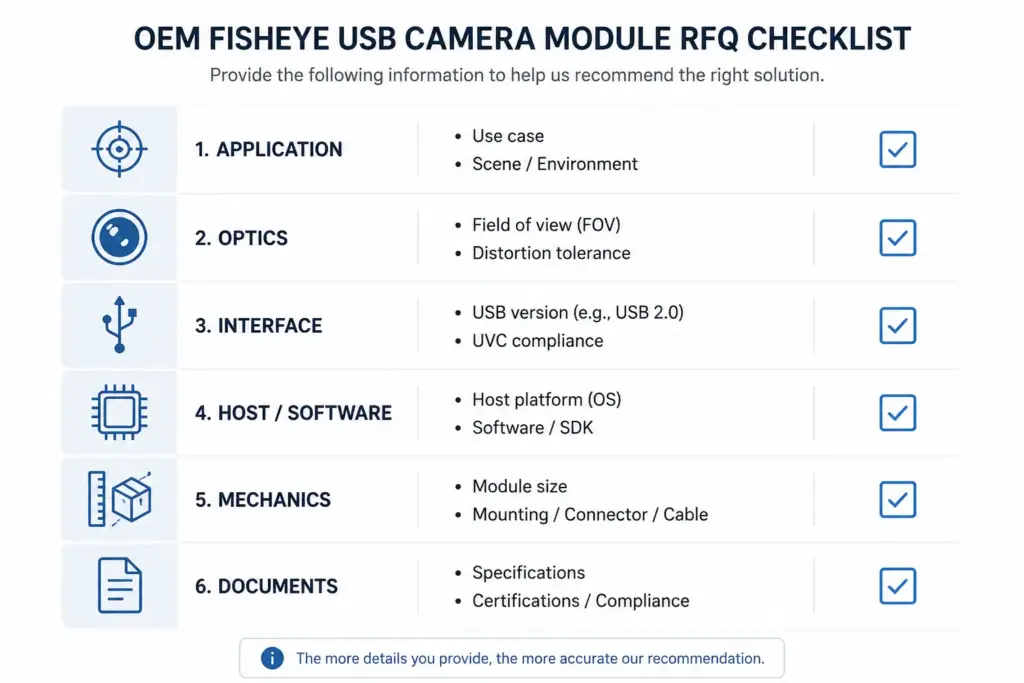
Supplier Evidence Questions to Ask Before Sample or Production
A manufacturer selection guide should not only compare product specs. It should also help buyers ask better evidence questions.
Before sample or production discussion, ask what information is available for your project:
| Evidence Question | Why It Helps |
|---|---|
| Is a datasheet available for the module being discussed? | Helps engineering review basic parameters |
| Is a mechanical drawing available? | Helps confirm board, lens, mounting, and enclosure fit |
| Can sample test information be shared? | Helps plan validation before larger orders |
| What output formats and host environments should be confirmed? | Reduces software and integration risk |
| What compliance documents are available if the project requires them? | Avoids unsupported certification assumptions |
| What packaging or labeling information can be reviewed? | Supports procurement planning |
| What warranty or after-sales terms apply to the project? | Keeps commercial expectations clear |
| What changes require OEM review? | Helps separate standard module selection from custom discussion |
These questions should be asked before relying on assumptions. If a project requires certifications, compliance documents, test reports, or specific commercial terms, request exact documents or written confirmation before publishing those claims internally or making purchasing decisions.
Common Mistakes When Comparing Fisheye USB Camera Module Manufacturers
Mistake 1: Choosing by the widest angle only
A wide angle may solve coverage needs, but it may also increase distortion. Confirm what part of the image needs useful detail and whether software will correct distortion.
Mistake 2: Treating megapixels as the only image-quality factor
Resolution matters, but so do lens quality, lighting, sensor behavior, compression, bandwidth, and the area of the image that is actually useful for the application.
Mistake 3: Assuming UVC means no integration work
UVC can simplify driver support in many cases, but it does not guarantee that every camera works with every host, format, frame rate, cable, or application software.
Mistake 4: Ignoring mechanical limits until late
Board size, lens height, cable routing, connector direction, and enclosure design can decide whether a module can be used in the final device.
Mistake 5: Asking for a quote without project context
A request such as “quote a fisheye USB camera module” may not give the supplier enough information. Send application, image, host, mechanical, quantity-stage, and document requirements.
Mistake 6: Assuming supplier claims without documents
If you need compliance documents, test data, warranty terms, or production confirmation, ask for project-specific evidence. Do not rely on broad marketing wording alone.
FAQ
How do I choose a fisheye USB camera module manufacturer?
Start with the application and target image. Then compare field of view, distortion tolerance, resolution, frame rate, USB/UVC behavior, host platform, output format, board size, lens height, cable, connector, lighting, validation needs, and RFQ response quality.
What specs matter most for a fisheye USB camera module?
The most important specs depend on the application. Common items include field of view, lens distortion, resolution, frame rate, sensor behavior, USB version, UVC support, output format, board size, lens height, cable, connector, and operating environment.
Is a fisheye USB camera module the same as a wide-angle USB camera?
Not always. A fisheye module is usually selected for very wide coverage and may show stronger distortion. A wide-angle module may offer a broader view than a standard lens with less extreme distortion. The right choice depends on the target image and application.
Does UVC plug-and-play mean the camera works with every system?
No. UVC may reduce driver work in supported environments, but it does not guarantee universal compatibility. Confirm the exact module, operating system, host platform, output format, resolution, frame rate, firmware behavior, cable, and application software.
What information should I send for an RFQ?
Send the application, target image, desired field of view, distortion tolerance, resolution, frame rate, USB/interface needs, host platform, software environment, board size, lens height, cable/connector limits, quantity stage, and required documents.
When should I ask for a custom or OEM fisheye USB camera module review?
Ask for OEM review when a standard module may not meet your lens, board size, cable, connector, firmware, output, enclosure, or validation requirements. Phrase the request as a project review, not as an assumption that every change is available.
What documents should I ask a camera module manufacturer for?
Ask what documents are available for the specific module and project. Depending on your requirements, this may include a datasheet, mechanical drawing, sample test information, compliance documents, packaging details, and warranty or commercial terms.
Can one fisheye USB camera module fit many applications?
A single module may be useful across several types of projects, but fit depends on the actual application conditions. Confirm field of view, distortion tolerance, lighting, host platform, software, mechanical space, cable routing, and validation needs before selection.
Share Your Fisheye USB Camera Module Requirements for Review
If you are preparing a fisheye USB camera module project, collect the key requirements before contacting a supplier. Useful details include your application, target image, desired field of view, resolution, frame rate, USB/UVC expectations, host platform, board size, lens height, cable or connector limits, quantity stage, and document needs.
For product/category details, review Supertek’s fisheye camera module page. For OEM-style discussion, prepare your application and integration requirements so the project can be reviewed before sample or quotation discussion.