A Full HD camera module request often starts with one simple requirement: “We need a 1080P module.”
That is a useful starting point, but it is not enough for OEM processing. A supplier usually needs to understand how the module will be used, what image conditions it must handle, how it connects to the host device, where it will be installed, and how the sample will be validated.
For OEM buyers, engineers, and procurement teams, a clear RFQ can reduce back-and-forth and make technical review more useful. A vague request can slow down the process because the supplier has to guess the lens, interface, PCB size, cable, connector, software output, and test conditions.
What Should You Prepare for Full HD Camera Module OEM Processing?
For Full HD camera module OEM processing, prepare more than the 1080P resolution requirement. Share the application, lighting condition, lens and FOV needs, interface, PCB or enclosure limits, cable and connector requirements, host platform, software/output expectations, quantity, document needs, and sample validation plan. These inputs help the supplier review feasibility before quotation or sample discussion.
How OEM Processing Works for a Full HD Camera Module
OEM processing is not only a product selection task. It is a review process that connects the buyer’s application with the optical, electrical, mechanical, and software requirements of the camera module.
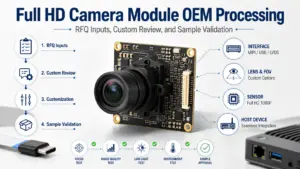
A typical OEM review may move through these stages:
| Stage | Buyer Input | Supplier Review Focus | Possible Output |
|---|---|---|---|
| Requirement intake | Application, image goal, resolution, quantity, target device | Whether the request is clear enough for technical review | Request for missing details or initial direction |
| Specification review | Lens/FOV, interface, PCB size, cable, connector, host platform | Whether the module direction matches the device and use case | Suggested configuration direction or questions |
| Custom review | Mechanical limits, firmware/output needs, enclosure, operating conditions | Whether customization may be required | Custom review scope or sample discussion |
| Sample discussion | Sample use, test setup, validation items | What should be checked before a project moves forward | Sample plan or pre-sample checklist |
| Project / quotation review | Quantity, schedule target, packaging, document needs, destination | Commercial and documentation discussion | Quotation or next-step communication |
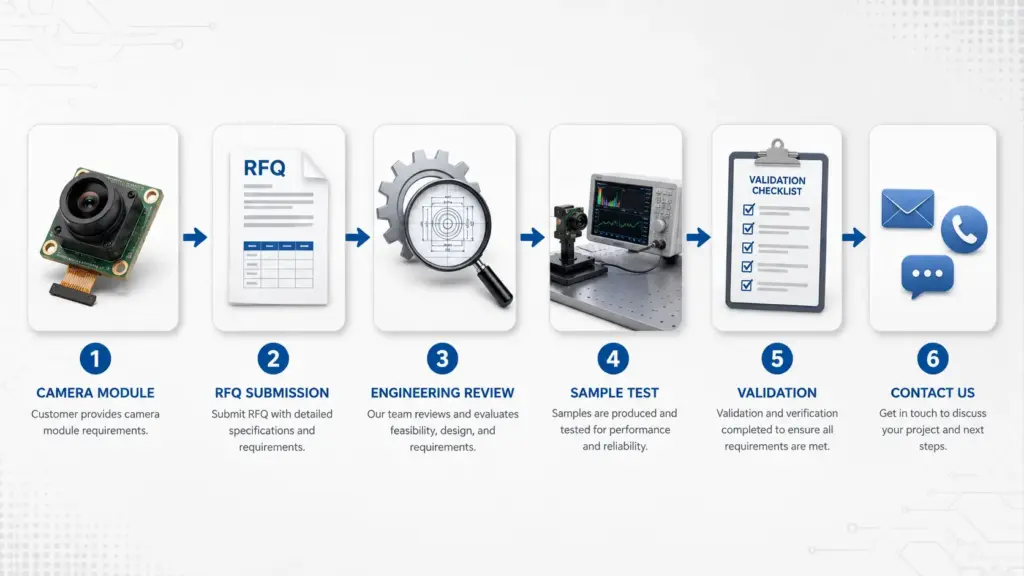
This workflow should be treated as a practical discussion path, not a fixed timeline. Exact schedule, MOQ, document availability, and commercial terms should be confirmed for the specific project.
Full HD Camera Module OEM Processing Workflow
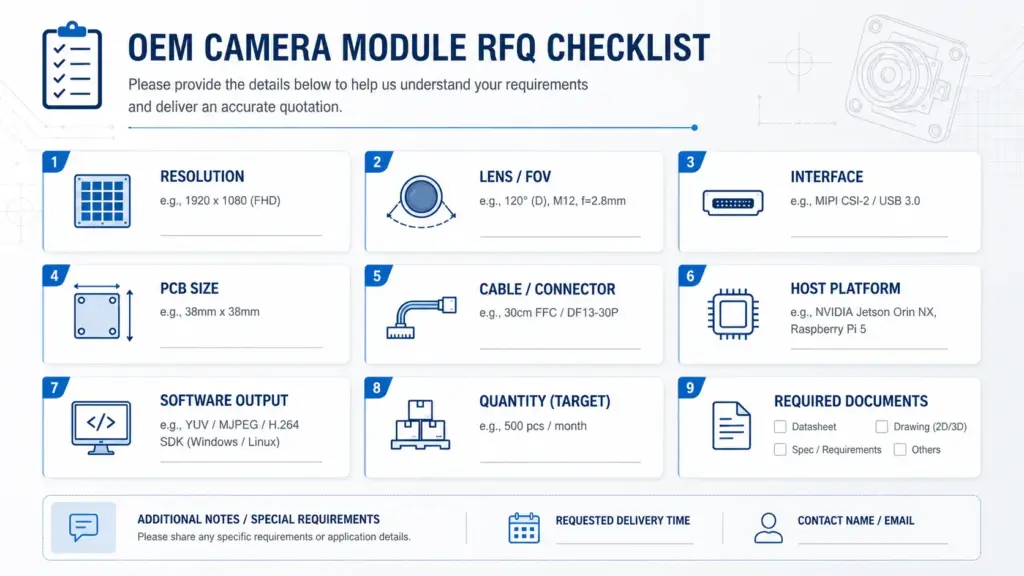
A strong RFQ helps the supplier understand the application before selecting or reviewing a module. A weak RFQ only lists resolution and quantity.
For a Full HD camera module, resolution tells the supplier that the output target is 1080P, but it does not define the lens, image scene, interface, PCB size, connector, or software behavior. For a related specification checklist, see Supertek’s Customized Full HD Camera Module RFQ & Spec Guide.
Use the table below to prepare a clearer inquiry.
| RFQ Item | Why It Matters | What to Send | Risk If Missing |
|---|---|---|---|
| Application | Different devices and scenes need different module choices | Product type, use environment, image target, distance to object | Supplier may suggest a module that does not fit the real use |
| Resolution | Confirms the Full HD / 1080P target | Required output resolution and any frame-rate expectation | Resolution may be clear, but performance needs remain unclear |
| Lighting condition | Low light, backlight, indoor, outdoor, or mixed lighting affects review | Typical scene photos or lighting description | Image expectations may not match test results |
| Lens and FOV | Lens choice affects viewing angle, focus distance, distortion, and mechanical fit | FOV target, object distance, focus range, lens size limits | Wrong viewing angle or focus behavior |
| Interface | The camera must match the host-side connection and data path | USB, MIPI, DVP, GMSL, FPD-Link, or other expected interface | Host integration may fail or require redesign |
| PCB or enclosure limits | Physical space affects board shape, connector placement, and lens height | Maximum board size, mounting space, enclosure drawing if available | Module may not fit the final device |
| Cable and connector | Cable length and connector type affect installation and assembly | Connector type, cable length, routing constraints | Assembly or reliability issues during integration |
| Host platform | Driver, operating system, and processing platform affect compatibility review | Host board, chipset/platform, OS, software environment | Sample may not behave as expected on the real host |
| Software/output needs | Output format and control needs affect integration | Required video format, control functions, software workflow | Extra development questions may appear later |
| Quantity and stage | Prototype and production discussions need different details | Prototype quantity, estimated production quantity, project stage | Quotation discussion may be incomplete |
| Documents needed | Procurement or engineering may need drawings, datasheets, or reports | Ask what documents are available for the selected module | Documentation expectations may be unclear |
| Validation plan | Sample testing should match the real application | Test items, device setup, pass/fail criteria used internally | Sample approval may be subjective or incomplete |
Interface and Host Fit: USB, MIPI, DVP, GMSL, FPD-Link, and Other Review Points
Interface choice is one of the first technical questions in camera module OEM processing.
A Full HD camera module may be discussed with different interface categories, but the right direction depends on the host system, cable distance, device architecture, software stack, and integration constraints. The interface should not be chosen only because it appears on a product page. Supertek’s public site also groups camera modules by interface categories such as USB, SPI, DVP, MIPI, GMSL, FPDLink, IP, and web camera modules; use this only as a navigation reference, not as a promise that every configuration fits every project.
| Interface Review Point | What to Check | Why It Matters |
|---|---|---|
| Host-side interface | What camera input does the host support? | The module must match the host’s electrical and data interface path |
| Driver and OS support | What operating system or embedded platform will run the camera? | Software integration may depend on driver support and output format |
| Cable length and routing | How far is the module from the main board? | Cable design can affect mechanical layout and signal stability |
| Bandwidth and output | What resolution, frame rate, and format are expected? | Output requirements affect interface feasibility |
| Device space | Where will the camera board and lens sit? | Interface and connector placement may affect mechanical design |
| Validation setup | Will testing use the real host or a development board? | Results from a test board may not fully represent the final product |
For engineering review, describe the host platform and current interface expectation early. If the interface is not fixed yet, explain the device architecture and let the supplier know what options are still open.
Custom Review Points: Lens, FOV, PCB Size, Cable, Connector, and Software Output
OEM processing becomes more complex when the project needs more than a standard module direction. Custom review may involve the lens, field of view, board shape, connector, cable, firmware behavior, or output format.
These items should be reviewed together because a change in one area can affect another.
For example, a wider FOV may help the camera capture more of the scene, but it can also change distortion, lens height, and enclosure design. A smaller PCB may help the module fit into a compact device, but it can affect connector placement or routing. A longer cable may help assembly, but it should be checked with the interface and device layout.
Use this checklist before asking for customization:
- What is the target application?
- What object distance and FOV are required?
- Is the module used indoors, outdoors, in low light, or under changing light?
- What is the maximum PCB size?
- What is the maximum lens height?
- Where should the connector be placed?
- What cable length and routing are expected?
- What host platform will be used?
- What output format or software behavior is required?
- What sample tests will be used to approve the module?
The safest wording for an OEM project is conditional: feasibility depends on the full set of optical, mechanical, electrical, software, and validation requirements.
What to Check Before Moving from Sample to Production Discussion
A sample should not be judged only by whether it turns on. It should be tested against the real device conditions or a close test environment.
Before moving from sample review to production discussion, check the areas below.
| Validation Item | What to Test | Notes |
|---|---|---|
| Host recognition | Whether the host detects the camera correctly | Test with the intended host platform when possible |
| Image output | Whether the expected resolution and output behavior are available | Confirm the output that the application actually uses |
| Lens and FOV | Whether the viewing angle captures the required area | Test with real object distance and mounting position |
| Focus | Whether the image is clear at the expected working distance | Avoid testing only at a convenient desktop distance |
| Lighting condition | Whether image results match the real scene | Test under typical lighting, not only ideal lighting |
| Cable and connector | Whether the cable length, routing, and connector fit the device | Check assembly and repeated handling if relevant |
| Mechanical fit | Whether PCB, lens, connector, and cable fit inside the enclosure | Use drawings or real enclosure parts when available |
| Software behavior | Whether the application can use the camera output as expected | Include the intended OS, app, or embedded software path |
| Heat and operation condition | Whether the module behaves acceptably in the expected device condition | Use project-specific test criteria; do not assume results |
| Documentation review | Whether available drawings, datasheets, or reports support the project stage | Ask what documents are available for the selected module |
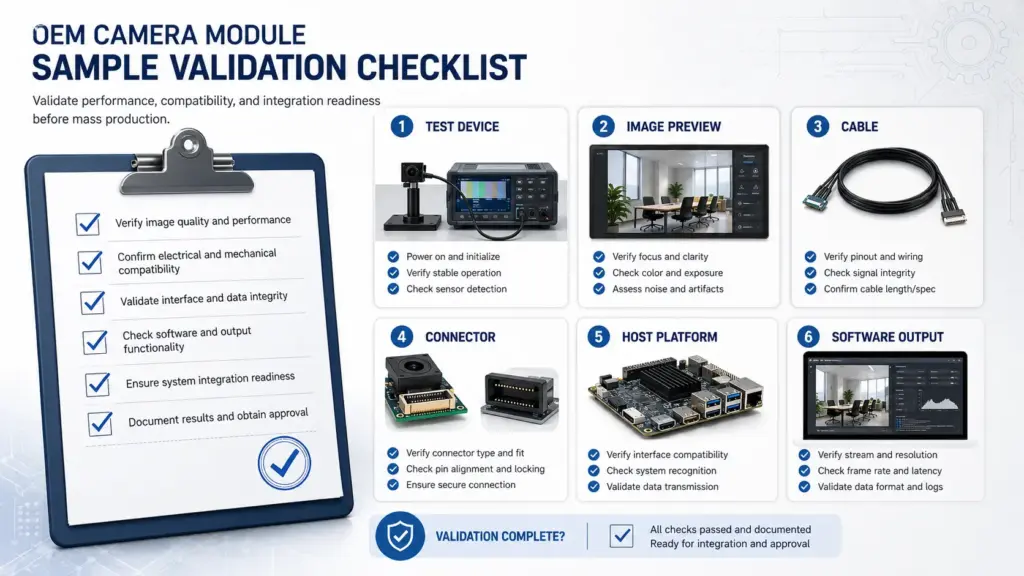
Sample validation should produce clear feedback: what works, what needs adjustment, and what must be confirmed before the next project stage.
Procurement and Document Questions to Ask Before Quotation
Procurement teams often need more than a technical suggestion. They may need documents, commercial terms, packaging details, and a clear project stage before internal approval.
Because document availability depends on the specific module and project, the safest approach is to ask what is available instead of assuming every document or certificate can be provided.
| Question | Why It Helps |
|---|---|
| Is a datasheet available for the reviewed module direction? | Helps engineers confirm basic parameters |
| Is a mechanical drawing available? | Helps check enclosure, PCB, lens, cable, and connector fit |
| Are sample test data or sample reports available? | Helps internal review after sample testing |
| Are compliance documents available for this module or project scope? | Helps procurement screen document needs without assuming compliance |
| What information is needed for quotation? | Avoids incomplete price or project discussions |
| What quantity should be provided for prototype and production review? | Helps separate sample-stage and production-stage discussion |
| What packaging or shipping information is needed? | Helps procurement plan logistics |
| What validation feedback should be returned after sample testing? | Helps the supplier understand whether changes are needed |
Avoid asking only, “What is the price?” before the technical scope is clear. For OEM camera module projects, price discussion is more useful when the supplier knows the application, module direction, quantity, customization scope, and validation needs.
Common RFQ Mistakes That Slow Down Review
A Full HD camera module RFQ can be short, but it should not be empty. The following mistakes often make technical review harder.
Mistake 1: Only Sending “Need 1080P Camera Module”
1080P tells the supplier the resolution target, but not the application, lens, FOV, interface, host, cable, connector, or size constraints.
A better inquiry includes the application, expected image scene, and host-side requirements.
Mistake 2: Not Confirming the Interface
Interface mismatch can affect hardware design, software integration, cable routing, and validation. If the interface is fixed, state it clearly. If it is not fixed, describe the host system and ask what should be reviewed.
Mistake 3: Leaving Out the Lens and FOV
The lens affects what the camera sees. If the FOV or object distance is unclear, the sample may not match the final application.
Share the target viewing area, object distance, and any enclosure limits around the lens.
Mistake 4: Ignoring Mechanical Limits
PCB size, lens height, connector position, and cable routing can decide whether the module fits the device.
Send drawings, space limits, or photos when available.
Mistake 5: Testing the Sample in the Wrong Environment
A sample tested only on a desk may behave differently in the final device. Use the intended host, enclosure, lighting condition, cable routing, and software environment when possible.
Mistake 6: Asking for Documents Without Defining the Module Scope
It is reasonable to ask for datasheets, drawings, sample data, or compliance documents. But availability depends on the selected module and project scope. Ask what is available and confirm what your procurement or engineering team needs.
FAQ
What information should I prepare for a Full HD camera module OEM RFQ?
Prepare the application, image scene, resolution target, lens/FOV needs, interface, PCB or enclosure limits, cable and connector requirements, host platform, software/output expectations, quantity, document needs, and validation plan. If drawings, photos, or test criteria are available, include them.
Is 1080P enough to choose a camera module?
No. 1080P defines the resolution target, but it does not define the lens, FOV, lighting condition, interface, host compatibility, PCB size, cable, connector, or software behavior. For OEM processing, these details should be reviewed together.
Which interface should I choose for an OEM camera module?
The interface should match the host system, cable distance, bandwidth needs, software environment, and device layout. USB, MIPI, DVP, GMSL, FPD-Link, and other interface categories may appear in camera module projects, but the correct direction depends on the application and host-side design.
What should be checked before requesting a sample?
Before requesting or approving a sample, check the host platform, interface, image output, lens/FOV, focus distance, lighting condition, cable, connector, PCB fit, enclosure space, software behavior, and validation method. The test setup should be close to the real application when possible.
What documents should I ask a camera module supplier for?
Ask what documents are available for the reviewed module or project scope. Depending on the project, useful documents may include a datasheet, mechanical drawing, sample report, test data, packaging information, or available compliance documents. Do not assume every document is available for every module.
Send a Complete Full HD Camera Module OEM RFQ for Review
A useful RFQ gives the technical team enough information to review your application instead of guessing.
When you contact Supertek, prepare:
- application and device type;
- target resolution and image expectations;
- lens and FOV needs;
- lighting condition and object distance;
- interface requirement or host platform;
- PCB size, enclosure, cable, and connector limits;
- software or output format needs;
- prototype and estimated production quantity;
- document requirements;
- sample validation plan.
If some details are not fixed yet, state that clearly. A conditional RFQ is better than a silent one because it shows what still needs engineering review.