High-speed USB camera module projects often start with a simple request: “We need a high-speed camera module.” That is not enough for a useful OEM review.
For an OEM device, embedded vision system, inspection tool, kiosk, scanner, robotics project, or smart hardware product, “high speed” only becomes meaningful when it is tied to the required frame rate, resolution, image format, USB interface, host platform, cable path, lens and field of view, software behavior, and validation plan. Supertek’s existing high-speed USB camera module guide uses the same decision logic: the project should not start with the phrase “high speed” alone, but with the technical conditions that define whether the module can fit the final device.
What to Prepare for OEM Processing
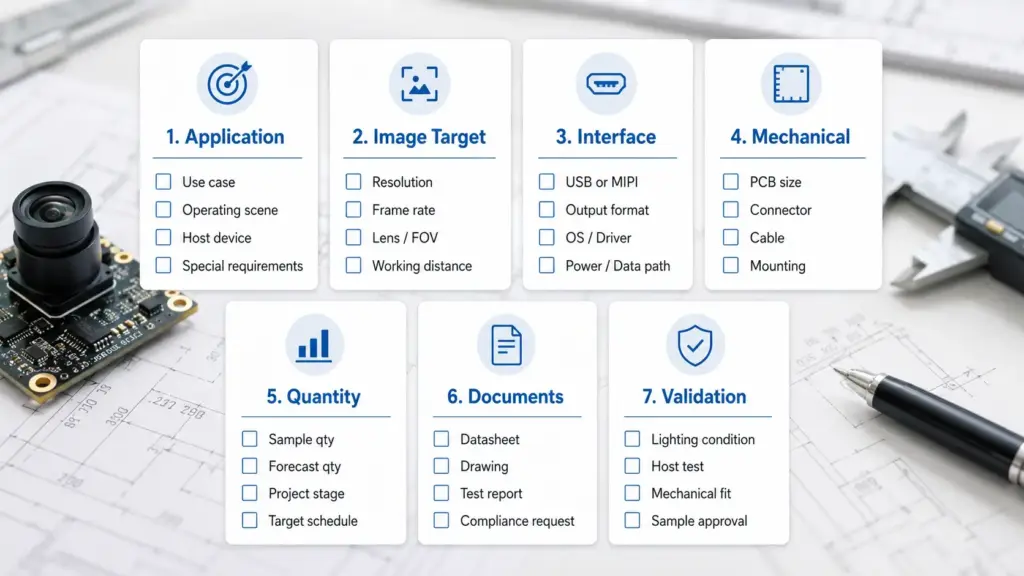
Before requesting OEM processing of a high-speed USB camera module, prepare the application, target resolution and frame rate, output format, USB2.0 or USB3.0 requirement, host platform, OS/software, lens and FOV, cable or connector needs, PCB or mechanical limits, quantity range, required documents, and sample validation conditions. Avoid choosing by headline FPS alone.
Scope: What This Guide Covers and What It Does Not Cover
This guide is for OEM buyers, engineers, procurement teams, and product teams preparing a high-speed USB camera module inquiry. It is not a general guide to standalone high-speed research cameras, sensor evaluation kits, or consumer webcams.
| Project Type | This Guide Covers | Not the Focus | Why It Matters |
|---|---|---|---|
| OEM USB camera module project | Requirements, customization review, sample validation, RFQ preparation | Retail webcam selection | OEM projects need device-fit and production-review inputs. |
| Embedded vision device | Interface, host, cable, lens/FOV, validation conditions | Standalone lab camera purchase | Integration depends on the host and final product layout. |
| Inspection, robotics, scanner, kiosk, or smart device | Motion capture needs, output format, lighting, mechanical fit | Generic “high FPS camera” shopping | The module must work in a specific device environment. |
| Custom camera module development | Review items such as PCB, lens, connector, cable, housing, and firmware behavior | Guaranteed customization for every request | Feasibility depends on exact technical requirements. |
| Compliance/document review | What documents to ask for | Certification claims without proof | Certification and compliance language must be confirmed per project. |
OEM Processing Workflow for High-Speed USB Camera Modules
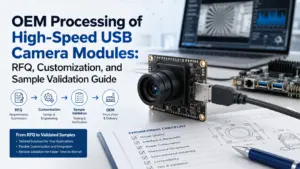
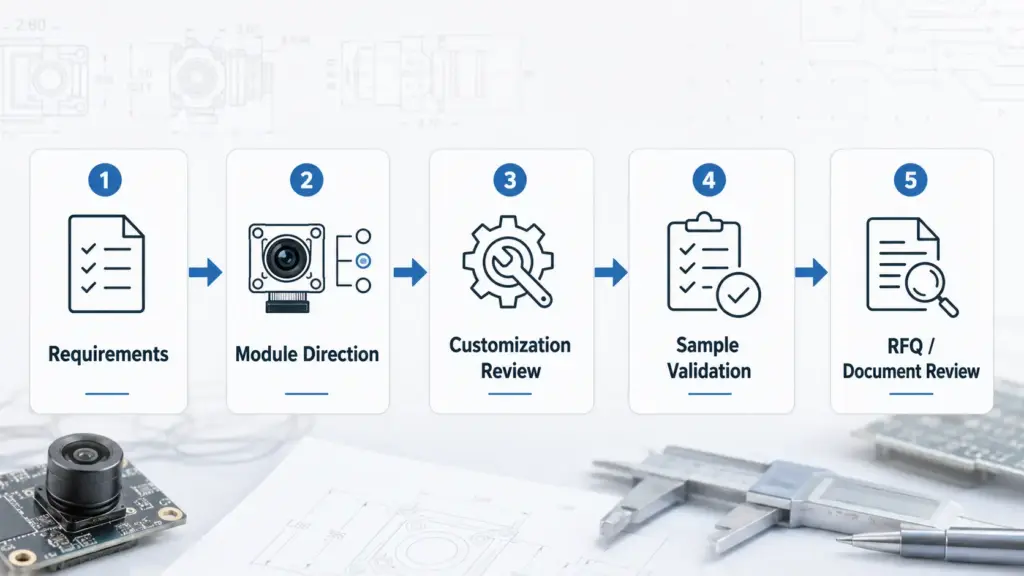
OEM processing should be treated as a review process, not a one-step product order. The goal is to match the imaging need, electrical interface, optical design, mechanical layout, software path, and validation conditions before sample approval.
| Stage | Buyer Input | Supplier Review Question | Risk If Missing |
|---|---|---|---|
| Requirement intake | Application, motion speed, working distance, host device | What image result is the device trying to capture? | The project may choose a module that is fast but not useful for the actual motion or scene. |
| Module direction | Target resolution, frame rate, output format, interface | Is an existing USB camera module direction suitable? | The team may request custom work when a standard module direction could be reviewed first. |
| Customization review | PCB size, lens/FOV, cable, connector, housing, firmware behavior | Which items need modification or feasibility review? | Mechanical or integration problems may appear after sample selection. |
| Sample validation | Lighting, exposure, cable path, host platform, software | What conditions should the sample be tested under? | A sample may pass in a simple test but fail in the final device environment. |
| RFQ and document review | Quantity range, document needs, approval requirements | What information is needed before quotation or production planning? | Procurement may receive an incomplete or unclear response. |
What “High-Speed” Means in USB Camera Module Projects
In USB camera module sourcing, “high-speed” usually means the module is being selected for a higher-frame-rate imaging need than a standard low-frame-rate module. It should not be treated as a fixed universal threshold.
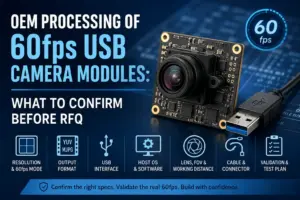
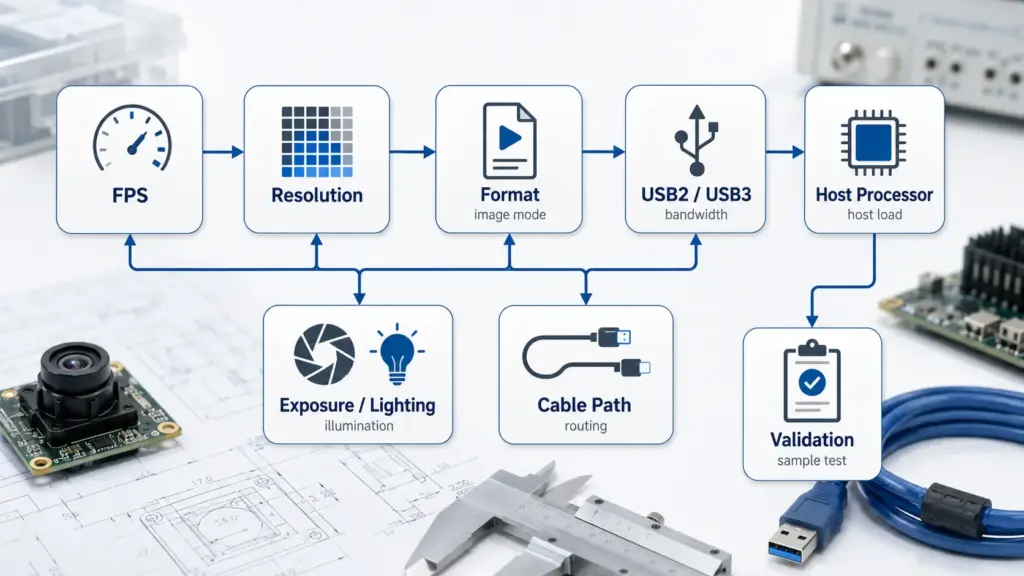
The same frame-rate target can have different practical meaning depending on the resolution, output format, USB interface, host processor, capture software, exposure, lighting, cable design, connector stability, thermal conditions, and mechanical layout. Supertek’s public high-speed guide gives similar caution: frame rate should be checked with resolution, format, USB interface, host, cable, lens/FOV, UVC or driver behavior, and validation conditions.
A better first question is not “What is your fastest module?” It is:
What resolution, frame rate, output format, host platform, lens/FOV, cable path, and validation conditions must the final device support?
That question gives engineering and sales teams enough context to review a module direction before sample selection.
Why FPS Alone Is Not Enough
A headline FPS number can be useful, but it does not decide the project by itself. A camera module that performs well in one test setup may behave differently in another device because the final result depends on the full imaging path.
| Factor | What to Confirm | Why It Affects the Project | Risk If Ignored |
|---|---|---|---|
| Motion speed | What is moving, and how fast? | Faster motion may need higher frame rate, shorter exposure, or a suitable shutter/readout direction. | Images may blur or miss key motion events. |
| Resolution | What image detail is required? | Higher resolution can increase bandwidth, storage, and host processing load. | The system may capture detail but lose frame-rate stability. |
| Output format | Is MJPEG, YUY2, or another format required? | Available frame rate may change by output mode. | A selected module may not support the target mode in the final system. |
| USB interface | Is USB2.0 enough, or should USB3.0 be reviewed? | Higher data throughput usually needs more careful interface and cable planning. | The project may hit bandwidth or stability limits. |
| Host platform | What OS, processor, and capture software will be used? | Integration depends on the full system, not only the camera board. | The camera may not behave as expected in the target device. |
| Lens and FOV | What field of view, focus type, and working distance are required? | Lens choice affects image coverage, sharpness, mechanical fit, and working distance. | The image may not cover the required scene. |
| Exposure and lighting | What lighting and exposure conditions are expected? | Short exposure may need sufficient lighting to maintain usable image quality. | The frame rate may be reached, but the image may be too dark or noisy. |
| Cable and connector | What cable length, routing, and connector direction are needed? | Mechanical layout can affect integration stability. | A sample may work on the bench but not inside the final product. |
| Validation method | How will the sample be tested? | Lab conditions may not match final product conditions. | The sample approval may not reflect real use. |
USB2.0, USB3.0, Output Format, and Host Software Checks
Many OEM teams start with USB because it can simplify integration compared with some lower-level embedded camera interfaces. Still, the right USB direction depends on the product architecture.
USB3.0 is often considered when the project needs higher data throughput, higher frame rate, or higher resolution than USB2.0 can support in the final system. It is not automatically the right answer for every project. The exact module, output format, host platform, cable design, connector path, and software behavior still need review.
| Decision Area | What to Ask | Safe Direction |
|---|---|---|
| USB2.0 vs USB3.0 | Does the required resolution and frame rate fit the practical data path? | Consider USB3.0 when throughput needs make USB2.0 unsuitable, but confirm the exact setup. |
| Output format | Is MJPEG, YUY2, or another format required by the host system? | Confirm the available mode for the exact module and application. |
| Host OS | Will the camera connect to Windows, Linux, Android, an embedded board, or a custom host? | Confirm host compatibility before sample approval. |
| Capture software | What software or SDK path will capture and process the video? | Test with the actual software environment when possible. |
| UVC behavior | Is UVC behavior required, and what features are needed? | Use UVC as a general standards reference, not as a universal guarantee. |
| Cable path | What cable length, connector type, and routing will be used? | Test the sample with a final-product-like cable path. |
UVC refers to the USB Video Class specification area. USB-IF lists the UVC v1.5 class specification and related payload documents, but UVC behavior should still be confirmed for the exact module, operating system, host software, and project requirements.
Customization Items to Review Before Sample Development
For OEM processing, the camera module may need to fit a specific enclosure, board layout, lens position, connector direction, cable path, host software, or optical requirement. That does not mean every request is automatically feasible. It means these items should be reviewed early.
Supertek’s public camera module customization page lists customization directions such as module dimensions, hardware modification, firmware modification, interface options, lens angle, focus direction, night vision, and other project-dependent items. For a high-speed USB camera module project, these should be treated as review items that depend on the exact technical requirement.
| Customization Item | What to Prepare | Why It Matters | Boundary |
|---|---|---|---|
| PCB or board size | Target board dimensions, mounting points, height limits | The module must fit the final device layout. | Feasibility depends on the exact design. |
| Lens and FOV | Working distance, scene size, focus type, image coverage | Optical selection affects sharpness, coverage, and mechanical fit. | Do not assume one lens fits all applications. |
| Cable and connector | Length, connector type, routing direction, shielding needs | Cable design affects assembly and integration stability. | Final design should be tested in the device layout. |
| Housing or enclosure direction | Space limits, mounting structure, thermal/mechanical constraints | The module must fit the physical product. | Housing design should be reviewed with drawings if available. |
| Filter or lighting requirement | IR filter, visible light, low-light condition, LED requirement | Imaging result depends on light and sensor/lens conditions. | Do not claim performance without validation. |
| Firmware or output behavior | Output format, UVC needs, capture behavior, host software | The host must receive usable video in the required mode. | Confirm by exact module and software path. |
| Documentation needs | Datasheet, drawing, sample report, compliance document request | Procurement or QA may need documents before approval. | Do not assume every document is available. |
Send drawings, sample photos, host details, lens requirements, and validation conditions as early as possible. This helps the review focus on real device constraints instead of generic module features.
Sample Validation Before Production Review
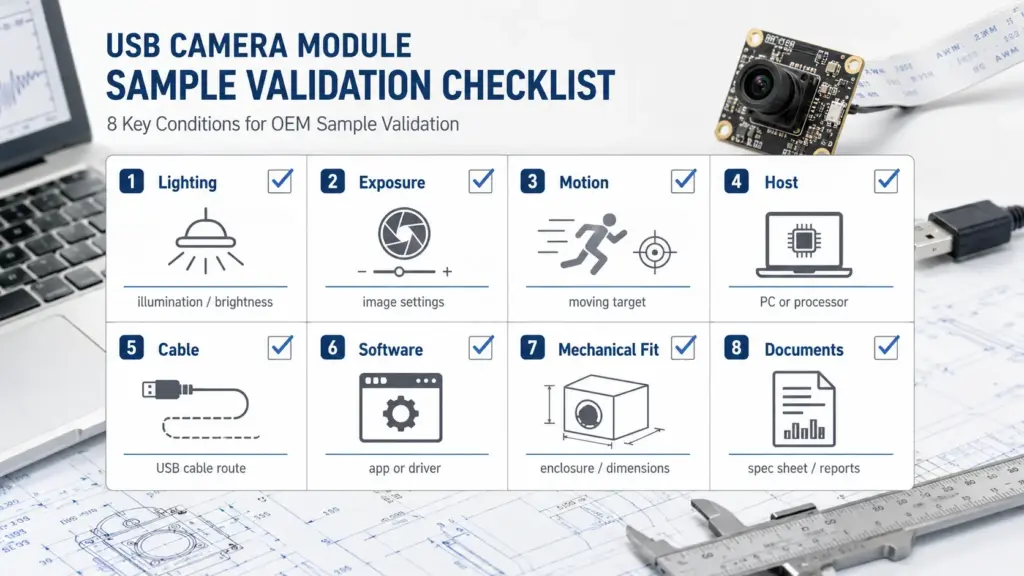
Sample validation should answer one question: does the selected module direction work under conditions close to the final product?
A sample that works on a desk may not work the same way inside the device. Lighting, exposure, cable routing, host software, enclosure design, operating time, and mechanical fit can change the result.
| Validation Item | What to Test | Example Risk |
|---|---|---|
| Frame rate | Can the sample reach the target frame rate at the required resolution, format, exposure, and host setup? | The module meets a listed mode but not the final system requirement. |
| Image quality | Does the image meet the required sharpness, color, contrast, and low-light expectations? | The image is fast but not usable for recognition, inspection, or tracking. |
| Motion behavior | Does the image remain usable when the target object or device is moving? | Motion blur or missed frames affect the application result. |
| Host integration | Does the module work with the target OS, capture software, and processing pipeline? | The camera connects, but the software cannot use the required mode. |
| Cable and connector | Does the selected cable length and connector remain stable in the final layout? | The sample works with a short cable but not in the actual device structure. |
| Mechanical fit | Does the PCB, lens, cable exit, and housing direction fit the product design? | The camera board fits electrically but not mechanically. |
| Thermal or operating duration | Does the module remain stable during the intended operating period? | Short tests pass, but longer device operation reveals issues. |
| Document and approval path | Are drawings, sample changes, and document requirements clear? | Procurement cannot move forward even after sample testing. |
RFQ Checklist for OEM USB Camera Module Processing
A clear RFQ helps the engineering and sales team review the right direction before sample selection. Supertek’s public high-speed page asks buyers to provide details such as application, resolution, target FPS, format, lens/FOV, host platform, cable or connector needs, quantity range, and validation requirements before project review.
| RFQ Detail | What to Provide | Why It Helps |
|---|---|---|
| Application | Inspection device, scanner, kiosk, robotics, embedded vision, smart device, or another product type | Defines the actual image task. |
| Resolution target | 720p, 1080p, 2MP, 4K, or another required image-detail level | Helps review bandwidth, lens, and image-quality needs. |
| Frame-rate target | Required FPS and whether it must run at full resolution | Avoids selecting by an unrelated headline mode. |
| Output format | MJPEG, YUY2, or another required format | Helps review mode availability and host behavior. |
| Interface | USB2.0, USB3.0, Type-C, or another connection direction | Clarifies data path and mechanical planning. |
| Host platform | Windows, Linux, Android, embedded board, or custom host | Guides software and UVC/driver review. |
| Lens and FOV | Fixed focus, autofocus, working distance, field of view, size limits | Helps match optical and mechanical needs. |
| Cable and connector | Length, connector type, routing, shielding, or mechanical constraint | Supports assembly and stability review. |
| Mechanical limits | PCB size, mounting direction, enclosure space, lens height | Helps determine whether customization review is needed. |
| Quantity range | Sample quantity and expected production direction, if known | Gives procurement context without creating MOQ assumptions. |
| Documents needed | Datasheet, drawing, sample report, compliance document request, or approval document | Helps identify what should be confirmed before purchasing. |
| Validation conditions | Lighting, exposure, motion, operating time, cable, host, and test environment | Helps align sample testing with real use. |
Documents and Compliance Questions to Ask Safely
Documentation is important, especially for OEM projects that need purchasing, QA, or final-device approval. However, it is risky to assume a camera module has a certain certificate, compliance status, report, warranty, or approval document unless the exact proof is available for the exact module and project.
Use safe document-request language:
| Document Type | When to Ask | Safe Wording |
|---|---|---|
| Datasheet | Before sample selection | “Please confirm whether a datasheet is available for the exact module.” |
| Drawing or mechanical file | Before enclosure or PCB review | “Please confirm the drawing or mechanical dimensions needed for fit review.” |
| Sample test information | Before internal approval | “Please confirm what sample test information can be provided.” |
| Compliance document | Before regulated or final-device approval | “Please confirm what documents are available and whether final-device requirements apply.” |
| Change record or approval notes | Before moving toward production review | “Please confirm how sample changes and approvals should be recorded.” |
| Packaging or labeling requirement | Before procurement planning | “Please review whether the project has any packaging, label, or document requirement.” |
Do not write “certified products” or “meets all standards” unless the relevant certificate or standard scope has been checked and approved.
FAQ
What is a high-speed USB camera module?
A high-speed USB camera module is a USB camera module selected for a higher-frame-rate imaging need. The actual project fit should be checked together with resolution, output format, USB interface, host platform, cable, exposure, lighting, software, and validation conditions.
What should I prepare before OEM processing of a high-speed USB camera module?
Prepare the application, target resolution, frame-rate target, output format, USB interface, host platform, OS/software, lens and FOV, cable or connector needs, mechanical limits, quantity range, required documents, and sample validation conditions. This helps the supplier review the project before sample selection.
Why is headline FPS not enough?
Headline FPS does not show the full system behavior. Frame rate can depend on resolution, output format, USB interface, host processor, capture software, exposure, lighting, cable length, connector design, and validation conditions. The sample should be tested under final-product-like conditions.
Should I choose USB2.0 or USB3.0?
Choose the interface based on the required resolution, frame rate, output format, host platform, cable path, and software environment. USB3.0 is often considered when higher data throughput is needed, but it is not automatically required for every project.
Does UVC mean the camera is plug-and-play on every host?
No. UVC refers to the USB Video Class specification area, but actual behavior should be confirmed for the exact module, operating system, capture software, host platform, and required video mode. Do not assume universal compatibility without testing.
What customization items may need review?
Common review items may include PCB size, lens and field of view, cable length, connector type, housing direction, filter or lighting needs, output format, and firmware or software behavior. Feasibility depends on the exact project requirement.
What should be tested before approving a sample?
Test frame rate, image quality, motion behavior, host integration, cable and connector stability, mechanical fit, exposure and lighting, software capture, and operating conditions close to the final product.
Are high-speed USB camera modules certified?
Do not assume certification without proof. Ask what documents are available for the exact module and project, and confirm whether the final device has its own compliance or approval requirements.
Send Requirements for Technical Review
To review a high-speed USB camera module direction, share your application, target resolution and frame rate, output format, USB2.0 or USB3.0 requirement, host platform, OS/software, lens and FOV, cable or connector needs, mechanical limits, quantity range, required documents, and sample validation conditions.
Contact Supertek with your project details. Any lead time, MOQ, warranty, certification, or compliance requirement should be confirmed for the exact project before it is used in purchasing or final approval.