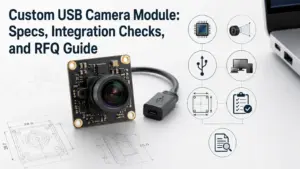
What to Prepare Before Requesting a Customized Full HD Camera Module
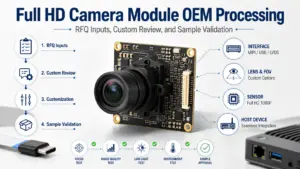
Before requesting a customized Full HD camera module, prepare more than “1080P” as the requirement. Share the target application, image area, lighting condition, lens and field-of-view needs, interface, PCB or enclosure size limits, cable and connector requirements, host platform, software/output expectations, quantity, document needs, and validation plan. These details help a supplier review whether a Full HD camera module direction is suitable for your project.
What Is a Customized Full HD Camera Module?
A customized Full HD camera module is a camera module configured around a 1080P image requirement while also matching the project’s mechanical, optical, electrical, and software conditions.
For OEM and product-development teams, “Full HD” is usually only the starting point. The final module direction may also depend on:
- sensor and output format
- lens type and field of view
- working distance
- lighting environment
- interface, such as USB, MIPI/CSI, DVP/SPI, GMSL, or FPDLink
- PCB shape or size limits
- cable and connector design
- host platform and operating system
- validation and document requirements
A supplier can review customized camera module requirements with fewer basic follow-up questions when these details are clear at the start. Without them, the discussion often becomes a long back-and-forth about basic conditions that could have been included in the first inquiry.
Is Full HD / 1080P Enough for Your Application?
Full HD may be a suitable starting point when the application needs a clear image but does not require the extra detail, bandwidth, processing load, or cost that can come with higher-resolution modules.
For related 2MP/1080P selection context, compare this topic with Supertek’s 2MP USB 3.0 camera module manufacturer guide. A listed product page, such as Supertek’s 2MP / 1920×1080 camera module example, can also help buyers see how resolution, interface, lens, and mechanical details may appear on a module page.
It is not safe to decide by resolution alone. A 1080P module may perform well in one system and fail to meet expectations in another if the lens, lighting, interface, software, or mechanical design is mismatched.
| Decision factor | Why it matters | What to confirm | Risk if ignored |
|---|---|---|---|
| Image detail | Full HD may be enough for general viewing, recognition, or monitoring tasks, but not every inspection or measurement task. | Target object size, image area, viewing distance, required detail. | Image may not capture enough detail. |
| Lighting condition | Low light, backlight, glare, or infrared needs can change module selection. | Indoor/outdoor use, day/night condition, LED/IR lighting. | Image quality may vary in real use. |
| Lens and FOV | The lens decides what area the module sees and how objects appear. | Field of view, working distance, focus distance, distortion tolerance. | Image may be too narrow, too wide, or unclear. |
| Interface bandwidth | Higher frame rate or uncompressed output may require interface review. | USB, MIPI/CSI, DVP/SPI, GMSL, FPDLink, cable path. | Integration or data transfer issues. |
| Host platform | The camera must work with the device processor, OS, and software stack. | Board/platform, driver needs, operating system, output format. | Extra software or driver work may be needed. |
| Mechanical space | The module must fit the product structure. | PCB size, lens height, connector direction, cable routing. | Module may not fit the enclosure. |
| Validation need | Custom projects usually need sample testing before final selection. | Test method, acceptance criteria, environment. | Problems may appear late in development. |
Use Full HD as a requirement only after checking these conditions. For many projects, the right question is not “Is 1080P enough?” but “Is this 1080P module configuration suitable for my application and system?”
What to Confirm Before Customizing a Full HD Camera Module
A custom camera module request should turn the application problem into specific technical inputs. The more complete the inputs are, the easier it is for engineering and sales teams to review feasibility.
| Parameter | Typical questions to answer | Who should confirm | Notes for RFQ |
|---|---|---|---|
| Application | What product or system will use the camera? What does it need to see? | Product manager / engineer | Avoid vague descriptions such as “for monitoring” without context. |
| Resolution and frame rate | Is 1080P required? Is there a target FPS? | Engineer | Higher frame rate may affect interface and processing needs. |
| Sensor preference | Is there a preferred sensor model or size? | Engineer | If unknown, describe image and environment needs instead. |
| Lens / FOV | What field of view, working distance, and focus type are needed? | Engineer / optical reviewer | Include drawings or target scene if possible. |
| Lighting | Will the camera work in daylight, low light, backlight, infrared, or LED lighting? | Engineer / application team | Lighting can affect sensor and lens choice. |
| Interface | USB, MIPI/CSI, DVP/SPI, GMSL, FPDLink, or another output? | Hardware engineer | Match host platform and cable path. |
| PCB and size | What are the board size, lens height, and mounting constraints? | Mechanical engineer | Provide drawings when available. |
| Cable / connector | What connector type, cable length, and orientation are needed? | Hardware / mechanical engineer | Cable design can affect assembly and signal integrity. |
| Host platform | Which processor, board, operating system, or software environment is used? | Software / system engineer | Driver or output format questions may depend on this. |
| Documents | Are datasheets, drawings, inspection records, or certificates needed? | Procurement / quality team | Availability must be confirmed for the specific module/project. |
| Quantity and schedule | Is this for prototype, pilot run, or production planning? | Procurement / project manager | Do not assume MOQ or lead time; confirm during RFQ. |
| Validation | How will samples be tested and approved? | Engineering / quality team | Define acceptance criteria before moving toward production. |
A useful customization request does not need to be perfect. It should give the supplier enough context to ask the right follow-up questions.
Interface and Integration Choices
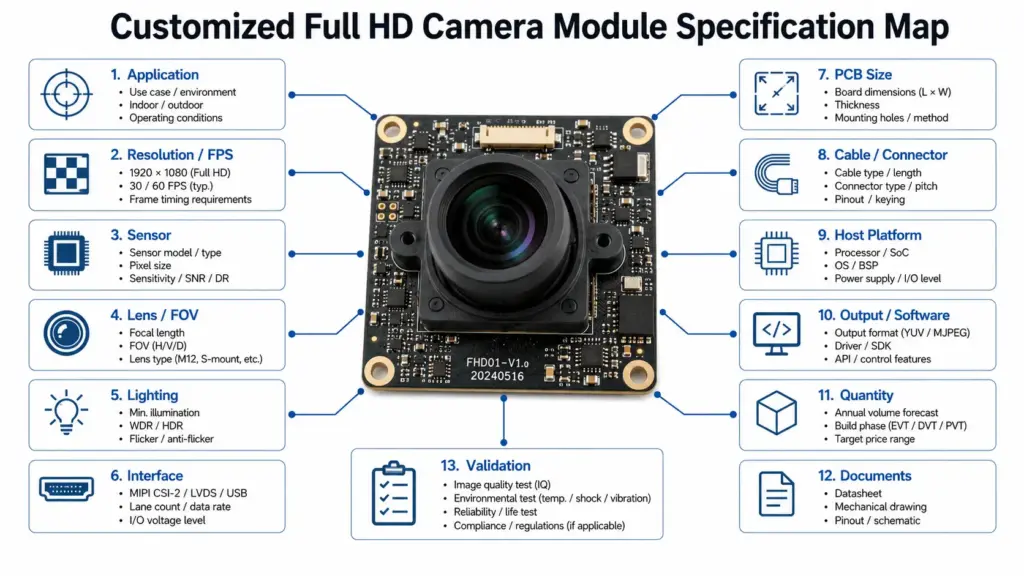
Interface choice affects how the camera module connects to the host system, how image data is transferred, and what software or driver work may be required. The right interface depends on the product design, not only the camera module itself.
For external technical background, review the USB-IF Video Class v1.5 document set and the MIPI CSI-2 specification overview when the project uses USB video or MIPI CSI-2 integration.
| Interface category | Best reviewed when | Integration questions | Confirmation needed |
|---|---|---|---|
| USB | The host supports USB camera input and simpler plug-in integration is preferred. | Does the host support the required USB version and video format? Is cable length acceptable? | Confirm module, driver, OS, and output format. |
| MIPI/CSI | The camera connects directly to an embedded processor or SoC. | Does the processor support the lane count, resolution, and frame rate? Is driver support available? | Confirm host platform and software support. |
| DVP / SPI | The system uses simpler or lower-bandwidth embedded camera connections. | Is the required frame rate and image format realistic? | Confirm bandwidth and processor compatibility. |
| GMSL / FPDLink | The camera must transmit video over a longer cable path or within a complex system. | What cable distance, serializer/deserializer, and EMI conditions apply? | Confirm system architecture and validation plan. |
| IP / network output | The camera module must connect over a networked system. | Is compression, latency, and network control acceptable? | Confirm software, power, enclosure, and security needs. |
Do not assume that every interface is available or suitable for every custom project. A supplier review should match the interface to the host platform, bandwidth, software environment, cable route, and mechanical design.
What to Include in Your RFQ
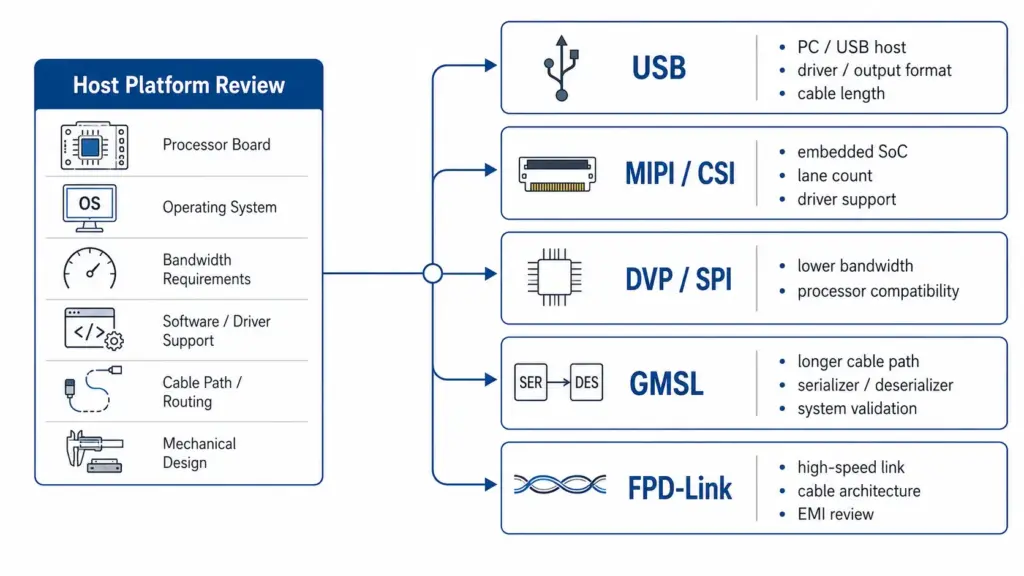
A clear RFQ helps the supplier understand the project with fewer basic clarifications. It also helps your internal engineering and procurement teams align before sample discussion.
Use this checklist before sending a request:
- Target application and product type
- Required resolution, such as Full HD / 1080P
- Target frame rate, if known
- Image scene or target object
- Lighting condition
- Lens type, field of view, working distance, and focus needs
- Interface preference, such as USB, MIPI/CSI, DVP/SPI, GMSL, or FPDLink
- PCB size, lens height, mounting, and enclosure limits
- Cable length, connector type, and connector direction
- Host platform, processor, operating system, and software environment
- Output format or driver requirements
- Expected sample quantity or project stage
- Estimated production quantity, if available
- Required documents, such as datasheet, drawing, test information, or certification evidence
- Validation method and acceptance criteria
- Target schedule, if there is one
Avoid sending only a short message such as “Need customized 1080P camera module.” That message may be enough to start a conversation, but it is not enough for technical review.
A better inquiry would be:
“We are developing an embedded device that needs a Full HD camera module. The host platform supports USB. The camera will be used indoors at a working distance of about 30 cm. We need a compact PCB, fixed focus lens, cable connector on the side, and a datasheet/drawing for mechanical review. Please advise what information you need for module selection and sample review.”
This type of request gives the supplier enough context to respond with useful follow-up questions.
Documents and Supplier Claims to Verify Before Ordering
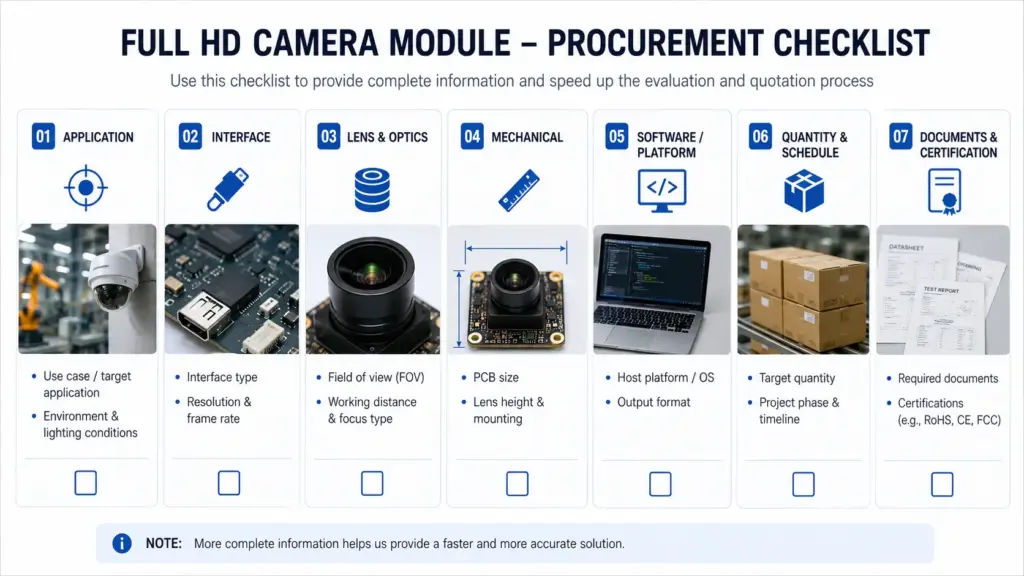
Custom camera module projects can involve engineering, procurement, and quality review. Before ordering samples or planning production, verify the claims that affect project risk.
For more internal supplier-review context, see Supertek’s camera module manufacturer guide.
| Item to verify | Why it matters | Safe question to ask |
|---|---|---|
| Datasheet | Confirms basic electrical, optical, and mechanical information. | “Is a datasheet available for this module or proposed configuration?” |
| Mechanical drawing | Helps confirm fit with the product enclosure. | “Can you provide a drawing for mechanical review?” |
| Test or inspection information | Helps quality teams understand what has been checked. | “What inspection or test information is available for this module?” |
| Certification or compliance documents | May be required by product category, target market, or buyer process. | “Which documents are available, and what exact scope do they cover?” |
| Warranty terms | Affects procurement and after-sales planning. | “What warranty terms apply to this module and order type?” |
| MOQ | Affects sampling and production planning. | “What MOQ applies to this configuration?” |
| Lead time | Affects project schedule. | “What sample and production lead times apply after the requirements are confirmed?” |
| Production capacity | Matters for scaling beyond samples. | “Can the expected production quantity be supported for this project?” |
| Change control | Important for long-term product planning. | “How are component or design changes communicated?” |
| Performance data | Helps avoid assumptions about image quality. | “What test conditions or sample validation data can be reviewed?” |
Do not assume that a general website statement applies to your exact project. Confirm the scope, model, order type, and documentation before making procurement decisions.
How Supertek Can Review Your Custom Camera Module Requirements
For a customized Full HD camera module project, Supertek can review your application requirements and help discuss a suitable camera module direction. To make the review more useful, prepare the following information before contacting the team:
- Application and product type
- Target resolution and frame rate
- Lens and field-of-view needs
- Interface preference
- PCB size or enclosure limits
- Cable and connector requirements
- Host platform and software environment
- Quantity and project stage
- Document or validation needs
This article does not promise that every configuration is available or that every requirement can be met. Custom camera module selection depends on project details, component fit, validation results, and commercial confirmation.
Send your application, target resolution, interface, lens/FOV, size limits, host platform, quantity, and document needs for customized camera module review.
FAQ
What is a customized Full HD camera module?
A customized Full HD camera module is a 1080P camera module configured to match a project’s optical, electrical, mechanical, and software requirements. Customization may involve lens, field of view, interface, PCB size, cable, connector, output format, or validation needs.
What information should I provide before requesting customization?
Provide the application, required resolution, frame rate, lens/FOV, working distance, lighting condition, interface, PCB size, cable and connector requirements, host platform, software environment, quantity, document needs, and validation plan.
Is Full HD enough for my application?
It depends on the image detail needed, object size, working distance, lighting, frame rate, host processing, and validation criteria. Full HD can be a practical starting point, but higher resolution or other features may be needed for some applications.
Which interface should I choose for a custom camera module?
Choose the interface based on the host platform, bandwidth, software support, cable path, mechanical design, and validation requirements. USB, MIPI/CSI, DVP/SPI, GMSL, and FPDLink serve different integration needs, so the final choice should be reviewed by the engineering team.
What lens or FOV details matter?
Confirm the field of view, working distance, focus type, target image area, lens height, distortion tolerance, and lighting condition. These factors affect whether the camera captures the right image in the final product structure.
What documents should I ask for before ordering?
Ask whether a datasheet, mechanical drawing, test or inspection information, certification evidence, and other project-specific documents are available. Do not assume every document exists for every module or custom configuration.
What supplier claims should be verified before purchase?
Verify certification scope, test information, warranty terms, MOQ, lead time, production capacity, document availability, and performance conditions. These claims should be confirmed for the exact module, project, and order type.
Does Supertek offer customized Full HD camera modules?
Supertek can review Full HD / 1080P camera module requirements and discuss whether a suitable customized module direction can be evaluated for the project. Final suitability depends on the application, specifications, interface, mechanical design, validation needs, and commercial confirmation.