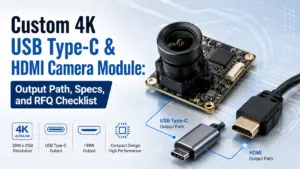
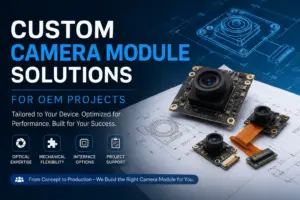
A custom 4K USB HDMI camera module should not be selected by resolution alone. For an OEM project, embedded device, inspection system, display terminal, or video product, the first question is usually not “Is it 4K?” but “How will the video output be used?”
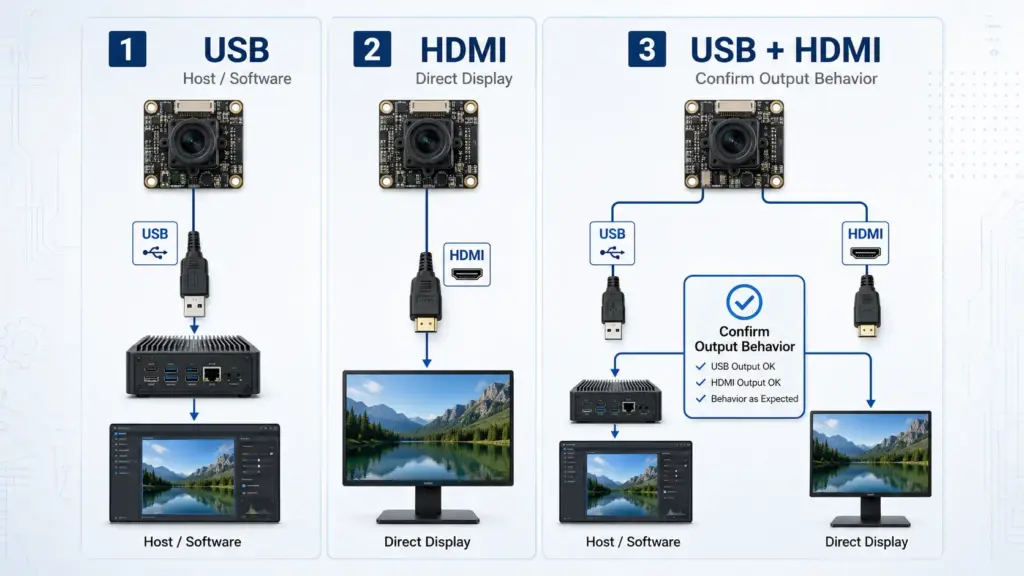
Some projects need USB output for a host computer or embedded software. Some need HDMI output for a direct monitor or display path. Some need both, but the behavior of USB + HDMI output must be confirmed for the selected module.
This guide explains how to define the output path, what specs to confirm before RFQ, what to test before sample validation, and what information to send for engineering review. For the broader supplier-selection angle, see Supertek’s related 4K USB HDMI camera module manufacturer guide.
How to Specify a Custom 4K USB HDMI Camera Module
Start by defining the output path: USB for host/software workflow, HDMI for direct display, or USB+HDMI when both outputs are required and the output behavior is confirmed. Then prepare RFQ details for resolution, frame rate, lens/FOV, image format, host platform, display path, board size, cable/connector, sample needs, quantity, and required documents.
USB, HDMI, or USB+HDMI: Decide the Output Path First
The output path affects the rest of the camera module decision. It can influence the host system, display method, software workflow, cable design, board layout, test plan, and RFQ details.
A USB camera module is usually selected when the image needs to be processed by a computer, embedded host, or application software. An HDMI camera module is usually selected when the image needs to go directly to a display. A USB+HDMI camera module may be useful when a project needs both host-side video access and direct display output, but this should not be assumed from the product name alone.
| Output path | Common use case | What to confirm before RFQ | Risk if assumed |
|---|---|---|---|
| USB | Host software, PC application, embedded host, image capture workflow | USB protocol, UVC support, image format, OS/platform, cable length, frame rate, power, software requirements | The module may not match the host, software, frame rate, or image format requirement. |
| HDMI | Direct display, monitor connection, live preview, display terminal | HDMI output resolution, frame rate, display compatibility, cable path, power, control method | Direct display may work differently from USB capture; host software may not receive the image. |
| USB+HDMI | Projects needing both host workflow and display output | Whether both outputs are available on the selected model, whether simultaneous output is supported, and what resolution/frame rate applies to each path | “USB+HDMI” may be misunderstood as universal simultaneous output or identical behavior on both paths. |
For a custom project, describe the actual workflow. For example: “The camera connects to an embedded Linux host for image capture, but the operator also needs HDMI preview on a local display.” That is more useful than only saying “4K USB HDMI camera module.” Related pages for output-path review include Supertek HDMI camera module and Supertek 4K USB Type-C & HDMI camera module guide.
Which Specs Should Be Confirmed Before RFQ?
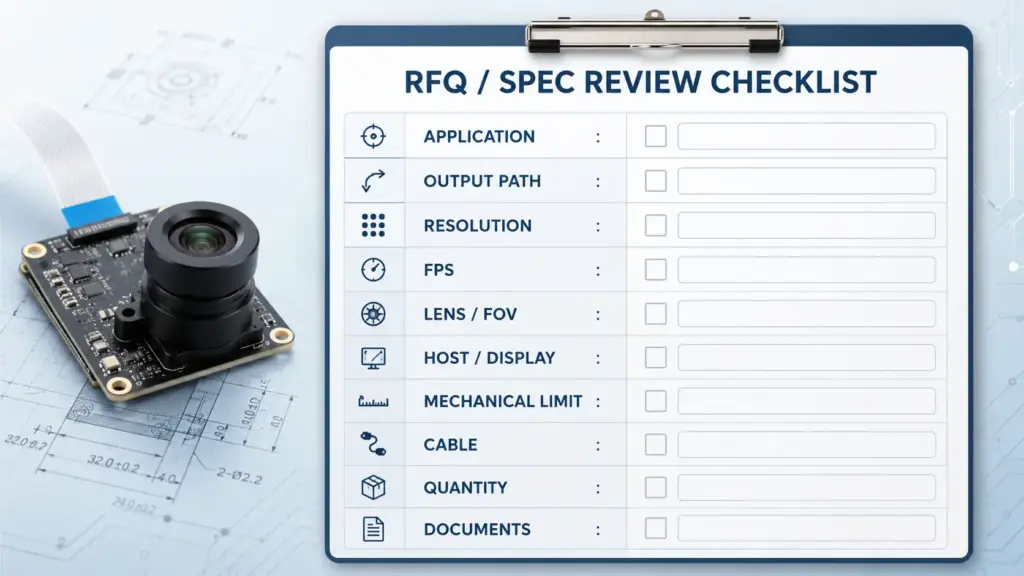
A complete RFQ helps the engineering team review whether a module, connector, lens, cable, or firmware direction is realistic for the project. It also helps avoid quoting a module that looks right by title but does not match the application.
Use the table below as a practical specification checklist.
| Spec / requirement | Why it matters | What to provide in RFQ | What to ask before sampling |
|---|---|---|---|
| Resolution | Defines image size, detail level, and data load | Target resolution, acceptable fallback options | Is the target resolution supported on the required output path? |
| Frame rate | Affects motion, latency, bandwidth, processing, and display smoothness | Required FPS at target resolution | What frame rate is available for the selected resolution and format? |
| Output path | Determines host/display connection | USB, HDMI, or USB+HDMI; direct display or host capture | Does the selected model support the required output behavior? |
| USB protocol | Affects bandwidth and host compatibility | USB 2.0, USB 3.0, USB Type-C connector requirement, host platform | Is Type-C only the connector shape, or does the protocol also match the project need? |
| UVC / driver requirement | Can affect software integration and driver work | OS/platform, application software, UVC requirement | Is UVC support available for the selected module and image formats? |
| Image format / compression | Affects host processing, bandwidth, storage, and software compatibility | Required image format, compression preference, capture workflow | Which formats are supported at the target resolution and frame rate? |
| Lens and FOV | Affects working distance, scene coverage, distortion, and image detail | Lens type, field of view, working distance, focus requirement | Can the lens/FOV be matched to the application scene? |
| Sensor preference | Affects image characteristics and availability | Preferred sensor if required, or application conditions if not | Is the sensor choice suitable for the lighting and image requirements? |
| Mechanical size | Affects integration into housing, machine, kiosk, or device | Board size limit, mounting holes, enclosure constraints | Can the PCB, lens, and connector fit the available space? |
| Cable and connector | Affects assembly, installation, signal reliability, and maintenance | Cable length, connector direction, locking need, Type-C/HDMI socket needs | Does the cable/connector design need customization or validation? |
| Quantity and sample plan | Helps commercial and engineering review | Prototype quantity, expected production quantity, timeline target | What should be confirmed before quotation or sample order? |
| Documents | Supports purchasing, quality review, and engineering approval | Datasheet, drawing, test report, certificate, or other document needs | Which documents are available for the selected model and configuration? |
A Type-C connector should be confirmed separately from the USB protocol, cable capability, and data-rate requirement. A USB camera workflow should also confirm whether UVC support and host/platform compatibility match the selected module and software environment. General technical references include the USB-IF UVC document set, Microsoft’s USB Video Class driver overview, and the USB-IF cables and connectors page.
Application Fit: Match the Module to the Real Use Case
The same “4K USB HDMI camera module” phrase can describe different project needs. A display terminal, embedded host, inspection device, live preview system, and OEM product may each need a different configuration.
| Application scenario | Likely output need | Key specs to confirm | Validation risk |
|---|---|---|---|
| Embedded host or PC software | USB | USB protocol, UVC, image format, OS support, frame rate, software workflow | Host software may not support the required format or frame rate. |
| Direct monitor preview | HDMI | HDMI resolution, frame rate, display compatibility, power, cable path | The display path may not match the expected preview quality or behavior. |
| Dual workflow: host capture + local display | USB+HDMI | Whether both outputs are available and how they behave at target resolution/FPS | Dual output may not mean simultaneous output on every module. |
| Inspection or machine vision support | Usually USB, sometimes HDMI preview | Lens/FOV, working distance, lighting, frame rate, image format, mounting | Resolution alone may not provide usable image quality for the inspection task. |
| Kiosk, terminal, or self-service device | USB or HDMI depending on system design | Mechanical size, cable routing, host/display path, enclosure fit | Board, lens, or connector may conflict with enclosure design. |
| Education, demo, or live display | HDMI or USB+HDMI | Direct display need, host recording need, ease of setup, cable length | The selected module may fit display use but not software capture, or the reverse. |
| OEM product development | Depends on product architecture | Output path, connector, board size, cable, firmware, sample validation, documents | Early assumptions can delay sample validation or production planning. |
Use the application context to define the camera module requirement. A useful inquiry says where the module will be installed, what it connects to, what the image is used for, and what must be tested before review.
What the 4K Label Does Not Prove
The term “4K” describes resolution, but it does not automatically confirm that a camera module will fit the project.
A 4K label does not prove:
- the required frame rate at 4K resolution;
- USB protocol, USB Type-C behavior, or cable capability;
- HDMI output behavior;
- simultaneous USB + HDMI output;
- UVC support or software compatibility;
- lens/FOV suitability;
- low-light performance;
- mechanical fit;
- connector direction or cable routing;
- documentation availability;
- certification or compliance;
- lead time, MOQ, warranty, price, or production capacity.
This does not mean the module is unsuitable. It means the RFQ should define the real conditions before engineering review. A project team should confirm output path, host/display setup, image requirements, mechanical limits, cable design, sample validation needs, and commercial conditions for the selected model and configuration.
What Should Be Tested Before Approving a Sample?
For OEM/R&D teams, sample validation is where many assumptions become clear. The goal is not only to check whether the image appears, but whether the module fits the real host, display, enclosure, and use environment.
Use this checklist before sample approval:
| Validation item | What to test | Why it matters |
|---|---|---|
| Output path | USB capture, HDMI display, or both as required | Confirms the selected output path matches the project workflow. |
| Resolution and frame rate | Target resolution and acceptable FPS | Confirms whether image smoothness and data load match the application. |
| Image format | Required format or compression | Helps software, storage, and processing compatibility. |
| Host/platform | Windows, Linux, embedded board, application software, or display device | Confirms integration with the actual system, not only a test bench. |
| Lens/FOV | Working distance, scene coverage, distortion, focus | Confirms the image is useful for the real scene. |
| Lighting condition | Normal, low light, backlight, indoor, outdoor, or controlled lighting | Helps avoid image-quality surprises. |
| Mechanical fit | PCB size, lens height, mounting, housing, connector direction | Confirms physical integration. |
| Cable and connector | Cable length, bend, routing, locking, Type-C/HDMI socket location | Reduces assembly and reliability risk. |
| Continuous operation | Expected operating time and environment | Helps identify heat, stability, or workflow issues for review. |
| Documents | Datasheet, drawing, test report, certificate, or other required files | Supports engineering, procurement, and quality review. |
Sample testing should be tied to the project’s real host, display, cable, enclosure, lighting, and operating conditions. Do not treat a successful basic image test as full approval for every application condition.
RFQ Checklist for a Custom 4K USB HDMI Camera Module
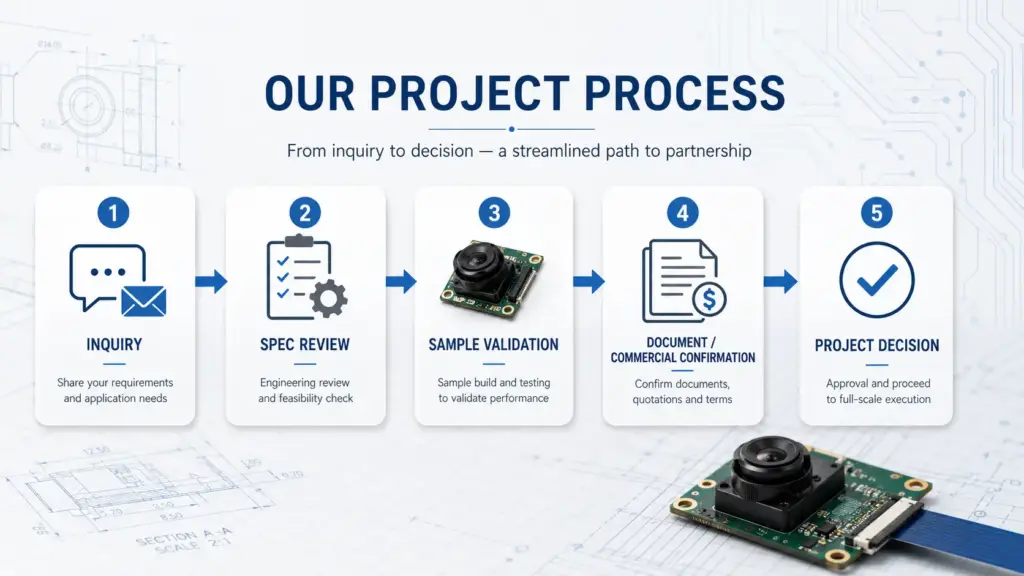
A clear RFQ helps reduce back-and-forth and makes the technical review more useful. Before asking for quotation or sample support, prepare the following details.
Application and system details
- Application or device type.
- Where the camera module will be installed.
- Image purpose: preview, capture, recognition, inspection, recording, display, or other.
- Host system or display device.
- Operating environment and lighting conditions.
Output and image requirements
- USB, HDMI, or USB+HDMI requirement.
- Whether simultaneous output is required.
- Target resolution.
- Target frame rate.
- Required image format or compression.
- UVC or driver requirement.
- Operating system or embedded platform.
Optical and mechanical requirements
- Lens type.
- Field of view.
- Working distance.
- Focus requirement.
- Board size limit.
- Mounting hole or bracket requirement.
- Lens height or enclosure limit.
- Cable length and connector direction.
- Type-C or HDMI socket requirement.
Project and purchasing information
- Sample quantity.
- Estimated production quantity, if available.
- Target project schedule.
- Required documents.
- Packaging or labeling requirement, if any.
- Destination country or region, if relevant for quotation.
Commercial items to confirm
The following should be confirmed for the selected model, configuration, quantity, and order conditions:
- MOQ;
- lead time;
- sample timing;
- warranty terms;
- price;
- available documents;
- packaging;
- payment/shipping terms.
These items should not be assumed from a general product page or article. They should be confirmed during quotation.
FAQ
Should I choose USB, HDMI, or USB+HDMI output?
Choose USB if the camera image needs to go into a host computer, embedded board, or software application. Choose HDMI if the image needs direct display output. Choose USB+HDMI only when both paths are required, and confirm whether the selected module supports the exact output behavior you need.
Does Type-C automatically mean USB3.0 performance?
No. Type-C can describe the connector shape, but the connector alone does not confirm USB protocol, data rate, power behavior, or cable capability. For an RFQ, confirm the connector, USB protocol, cable requirement, host platform, and target image format separately.
Is simultaneous USB + HDMI output available on all modules?
No assumption should be made. Some modules may support both USB and HDMI, but the exact output behavior, resolution, frame rate, and simultaneous-output capability must be confirmed for the selected model. State this requirement clearly in the RFQ.
Which specs should I confirm before requesting a quote?
Confirm output path, target resolution, frame rate, image format, lens/FOV, working distance, host platform, display device, board size, cable/connector requirement, sample quantity, expected production quantity, and required documents. Also state whether UVC support, Type-C, HDMI, or simultaneous output is required.
What should be tested before approving a sample?
Test the module with the real host or display, target resolution and frame rate, required image format, lens/FOV, working distance, lighting conditions, cable path, mechanical fit, continuous operation needs, and required documentation. The sample test should reflect the final application as closely as possible.
What RFQ information should I send for a custom 4K USB HDMI camera module?
Send your application, output-path requirement, target resolution and frame rate, lens/FOV, host or display platform, mechanical limits, cable/connector needs, quantity estimate, sample needs, and document requirements. Commercial terms such as MOQ, lead time, price, warranty, and documents should be confirmed for the selected model and order conditions.
Send Your Application and RFQ Details for Engineering Review
For a custom 4K USB HDMI camera module project, send the practical project conditions first. Include the application, output path, host or display device, target resolution and frame rate, lens/FOV, working distance, board and cable limits, quantity estimate, sample needs, and required documents.
This helps engineering review whether the selected direction should be USB, HDMI, USB+HDMI, or another configuration. MOQ, lead time, sample timing, warranty, price, and available documents should be confirmed based on the selected model, configuration, quantity, and order conditions.