Are you tired of subpar video quality during your Zoom meetings? Choosing the right webcam resolution can make all the difference in how you appear on screen and how effectively you communicate.
As a camera module expert with years of experience working with industries ranging from corporate conferencing to technical demonstrations, I understand what it takes to create a strong virtual presence.
Here’s a quick look of 2 standout options:
- 2160p (4K Ultra HD)
- 5MP (Super HD)
In this guide, we’ll explore 5 top webcam resolutions, and how to select the one that fits your specific needs. Whether you’re upgrading your setup or shopping for a new camera, this article has you covered.
Keep reading to learn more!
1. Quick Comparison Chart
When selecting a webcam resolution, it helps to understand how each option stands out. Below is a quick comparison chart to simplify your decision-making process.
| Resolution | Quality | Considerations | Best For |
| 720p (HD) | Basic clarity | Limited detail; struggles in low light | Casual meetings, remote learning |
| 1080p (Full HD) | Sharp and vibrant | Requires moderate lighting; consumes more bandwidth | Professional meetings, webinars, content creation |
| 1440p (Quad HD) | Exceptional clarity and detail | Requires better hardware and internet connection | Creative professionals, presentations, streaming |
| 2160p (4K Ultra HD) | Unparalleled sharpness and depth | Demands high bandwidth and processing power; higher cost | High-stakes presentations, technical demonstrations |
| 5MP (Super HD) | Crystal-clear visuals with high detail | Ideal for specialized uses; higher cost compared to general-purpose resolutions | Telehealth, product demos, photography |
Understanding the unique strengths and requirements of each resolution can help you align your choice with your specific needs. Whether you’re prioritizing affordability, image quality, or specialized applications, there’s an option suited for you!
2. 720p (HD)
The 720p resolution, often referred to as HD, is the entry-level standard for webcams. For instance, its ability to balance decent video quality with affordability makes it an accessible choice for many users. While it may not deliver the sharpness of higher resolutions, it gets the job done for casual and low-stakes environments.
Use Cases for 720p Webcams
- Remote Learning: Suitable for students and educators participating in virtual classrooms where video quality is secondary to content. This resolution avoids unnecessary bandwidth demands, keeping sessions smooth and accessible.
- Daily Team Meetings: Works well for informal workplace check-ins or routine updates. It ensures colleagues stay connected without the need for high-definition visuals.
- Low-Bandwidth Situations: A great option for users in areas with limited internet speeds, as 720p consumes less bandwidth. It’s particularly useful in remote locations or during high network traffic.
- Basic Hardware Compatibility: Ideal for older laptops or desktop systems with limited processing power. This resolution does not strain the device, making it reliable for aging equipment.

Considerations
- Limited Detail: While adequate for casual settings, the lack of sharpness might be noticeable in professional or high-resolution environments. It can make presentations with small text or details less effective.
- Lighting Sensitivity: 720p webcams often struggle in poorly lit conditions, requiring good ambient light for optimal performance. Using additional lighting sources can significantly improve results.
- Outdated Technology: As video standards rise, 720p may not meet the expectations of modern professional settings. Its limitations may become more apparent as virtual platforms evolve.
3. 1080p (Full HD)
Full HD, or 1080p, has become the default resolution for professional video calls. It strikes a balance between crisp video quality and reasonable cost, making it a favorite for corporate and creative users alike. With greater detail and richer colors, 1080p webcams elevate the user’s on-screen presence.
Use Cases for 1080p Webcams
- Professional Meetings: Ideal for client presentations or important business calls where clarity enhances professionalism. The sharp visuals create a polished impression that can boost confidence.
- Virtual Events: Perfect for webinars or online conferences where a polished appearance is key. This resolution helps maintain audience engagement throughout long sessions.
- Content Creation: A reliable resolution for recording tutorials, hosting live streams, or creating video blogs. It provides the clarity needed for high-quality output across various platforms.
- Interactive Teaching: Enables educators to better convey expressions and gestures, boosting engagement in virtual classrooms. Students can more easily interpret visual cues, improving the learning experience.

Considerations
- Bandwidth Requirements: 1080p requires higher internet speeds to maintain smooth video without lags or disruptions. Users may need to upgrade their internet plans to fully utilize this resolution.
- Lighting Needs: While better than 720p, Full HD webcams still benefit from external lighting for the best results. Proper lighting helps bring out the color depth and sharpness.
- Higher Cost: 1080p webcams are generally pricier than their 720p counterparts, though the investment often pays off in quality. It’s a worthwhile upgrade for those with regular video conferencing needs.
4. 1440p (Quad HD)
For those looking for a step above 1080p, 1440p or Quad HD webcams offer exceptional clarity and detail. This resolution is increasingly favored by professionals in creative industries who require precise visuals without the bandwidth demands of 4K.
Use Cases for 1440p Webcams
- Creative Professionals: Perfect for designers, photographers, and architects who showcase portfolios or visual work during virtual meetings. It highlights finer details, adding credibility to their presentations.
- High-Quality Presentations: A great choice for executives or speakers aiming to make a strong impression in virtual conferences. Viewers can connect more effectively when visuals are crisp and lifelike.
- Gaming and Streaming: Excellent for gamers and streamers who want high-quality video without the processing burden of 4K. This resolution balances quality with smoother streaming for audiences.

Considerations
- System Requirements: Running 1440p smoothly may require a moderately powerful computer and sufficient internet bandwidth. Investing in updated hardware can maximize its performance.
- Lighting Enhancements: For optimal performance, pairing the webcam with a ring light or good natural lighting is recommended. Soft lighting enhances the depth and contrast of the video.
- Cost to Benefit Ratio: While offering better quality than 1080p, the difference might not justify the price for casual users. It’s best suited for those with higher presentation standards.
5. 2160p (4K Ultra HD)
As the gold standard for video resolution, 4K Ultra HD webcams deliver unparalleled sharpness and depth. For instance, these webcams are a game-changer for those who prioritize high visual fidelity and precision in their virtual communications. Though requiring more bandwidth and resources, the visual impact can be worth it in many professional scenarios.
Use Cases for 4K Webcams
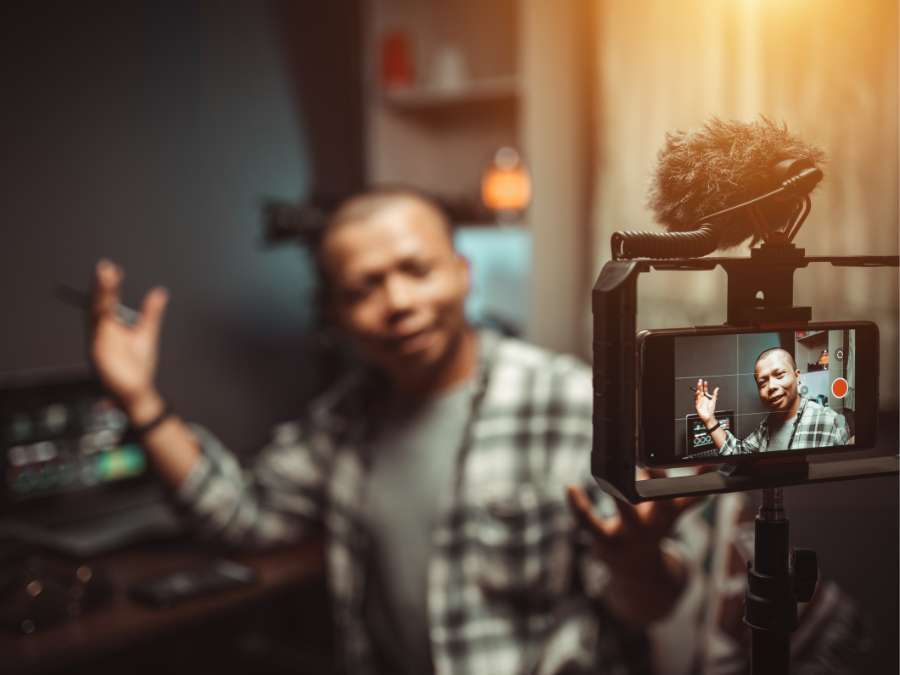
- Professional Streaming: Content creators, YouTubers, and live streamers benefit from the stunning clarity of 4K. It enhances viewer experience, making content more visually appealing.
- Medical or Technical Use: Ideal for applications like telemedicine or product demonstrations where intricate details are crucial. Professionals in these fields can rely on its precision for critical tasks.
- Corporate Events: A great choice for keynote speakers or presenters looking to stand out in online conferences. The resolution amplifies the impact of visual aids and gestures.
Considerations
- High Resource Demand: 4K webcams require significant bandwidth and powerful devices to function smoothly. Users should consider both hardware and network capabilities before upgrading.
- Compatibility: Not all video conferencing platforms support 4K streaming, which could limit the potential of these devices. Testing compatibility with your preferred software is recommended.
- Price Point: Among the most expensive options, 4K webcams are best suited for users who value top-tier video quality over affordability. It’s an investment for long-term professional use.
6. 5MP (Super HD)
Webcams with 5MP resolution, often referred to as “Super HD,” go beyond standard resolutions to deliver exceptional clarity in both video and still images. With a higher megapixel count, they are uniquely suited for specialized applications where visual details are paramount.
Use Cases for 5MP Webcams
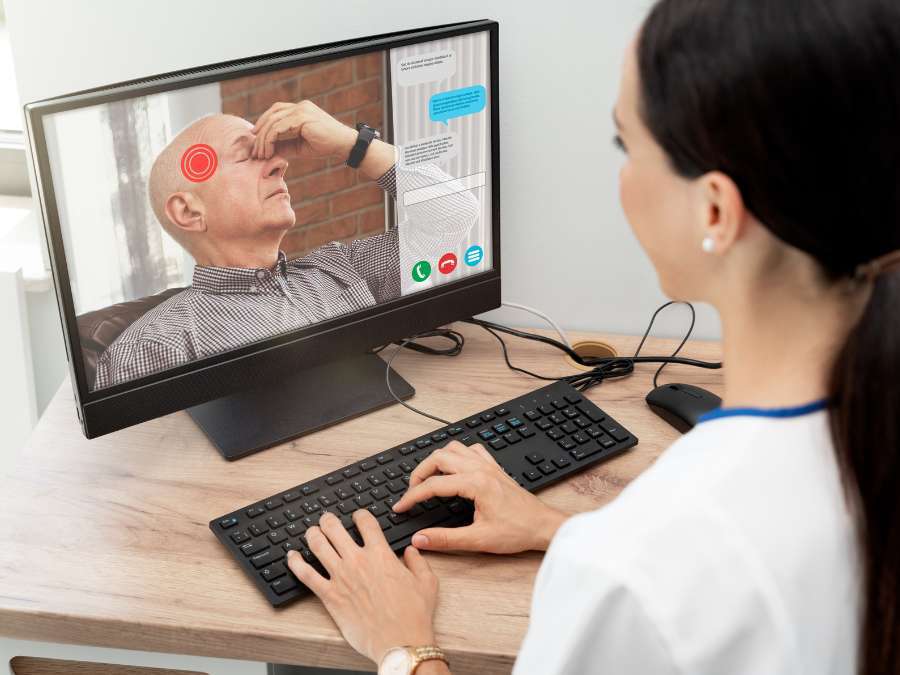
- Telehealth and Diagnostics: Widely used in medical consultations to provide clear visuals for accurate diagnoses. Patients and practitioners alike benefit from the detailed imaging.
- Product Demonstrations: Ideal for industries requiring precise visuals, such as showcasing intricate machinery or prototypes. It enhances the credibility of product features during presentations.
- Photography and Archiving: Suitable for capturing high-quality still images during meetings or presentations. This feature is invaluable for users who document their sessions.
- Technical Troubleshooting: Assists in solving complex issues by providing a detailed view of hardware or software setups. Clear imaging can expedite the resolution process.
Considerations
- Specialized Needs: While excellent for specific uses, 5MP may be unnecessary for casual or general-purpose users. Its value lies in niche or professional applications.
- Performance Optimization: Requires a system capable of handling the high resolution and an application that supports its full capabilities. Users should evaluate their technical setup beforehand.
- Premium Pricing: As a niche product, 5MP webcams may come at a higher cost compared to standard resolutions. However, the unique capabilities justify the expense for its target audience.
4 Tips to Consider When Choosing a Webcam Resolution
Selecting the right webcam resolution isn’t just about image quality; it’s about matching your technical requirements with your intended application. Let’s understand how the specifications behind each resolution helps ensure a seamless experience for your needs:
- Frame Rate to Resolution: For 1080p, a frame rate of 30fps is sufficient for general video conferencing, but 60fps offers smoother motion, ideal for dynamic presentations or live streams. If you’re using 1440p or 4K, check your system’s capability to handle higher frame rates without lag or dropped frames.
- Bandwidth: Higher resolutions demand more bandwidth. According to VdoCpher, to live stream 720p or 1080p, you will need at least 5 Mbps bandwidth for optimal performance. If your internet connection is unstable or below these thresholds, consider using a lower resolution to avoid disruptions during calls.
- Sensor Size: A webcam’s image sensor size significantly affects its ability to capture clear images in low-light conditions. Larger sensors, like 1/2.8”, gather more light and reduce noise compared to smaller ones like 1/3.2”. When selecting a high-resolution webcam, ensure the sensor size complements the resolution to maintain image quality in varying lighting conditions.
- Balance Field of View (FoV) with Resolution: The field of view determines how much of the surroundings are captured in the frame. For individual use, a 70–80° FoV is typically sufficient, while group meetings or collaborative workspaces may require a wider FoV of 90° or more. Wider angles on lower resolutions like 720p can distort details, making higher resolutions preferable for broader shots.
Looking for a Specialized Webcam Setup?
If the standard webcam resolutions don’t meet the unique demands of your video conferencing or technical applications, a custom-built Webcam Module might be the solution. Camera modules can be specifically designed to cater to professional needs, such as enhanced clarity for telehealth or real-time imaging for industrial use, delivering precision and flexibility.
At Supertek, a leading camera module manufacturer, we provide customized solutions equipped with advanced features like high-definition resolution, specialized sensors, and adaptable interfaces. Whether you need a module for low-light performance, seamless integration into your system, or specific dimensions, we can tailor our products to suit your requirements.
Discover how Supertek’s expertise in customization can bring unmatched performance and versatility to your webcam setup.
Conclusion
Choosing the right webcam resolution is critical for enhancing your video quality and creating a professional virtual presence. By understanding the unique advantages of each resolution, you can make an informed choice that meets your needs, whether for casual use, corporate meetings, or specialized applications.
We hope this guide has helped you find the best option for your specific requirements. If you’ve ever faced delays in getting quotes, Supertek offers a solution. With high-quality components, efficient customization, and a wide range of camera modules, we are here to meet your specific needs. Contact us today to discover how our expertise can elevate your next project.
Discover More Options
If you’re searching for more choices, explore our full collection of products. We’ve picked out some great options for you:
If you’re looking for more insights, we’ve put together a list of helpful articles that you might enjoy:
Still haven’t found what you’re looking for? Don’t hesitate to contact us. We’re available around the clock to assist you.