
How does a car camera work? Car cameras works by capturing video and images to enhance driving safety and assist with parking.
As an industry expert in automotive camera solutions, I frequently receive questions about how these devices function. Many customers wonder about the inner workings and benefits of car cameras.
Rest assured, understanding car cameras is simpler than it may seem!
In this guide, we’ll break down the basics of car camera operation. You’ll also learn about the benefits of different camera types and how each is made for specific driving needs.
Keep reading to learn more!
1. What is a Car Camera
A car camera or dash cam, is a small device mounted inside a vehicle to record video footage of the road and surroundings. It is used to capture events on the road, such as accidents, making its market size scale at a CAGR of 12.5%, as reported by Spherical Insights. At Supertek, we specialize in manufacturing compact and reliable car camera modules, designed for seamless integration into various vehicle types.
Car cameras are positioned on the windshield or rear of the vehicle, allowing them to capture a clear view of the driver’s surroundings. They have become popular for enhancing driver awareness and offering peace of mind in case of unexpected events. Many drivers and businesses use car cameras to improve safety in everyday driving operations.
2. Core Components of a Car Camera System
Car camera systems are made up of several essential parts that work together to capture clear video. Each component has a specific role, from recording footage to displaying it on a screen for easy viewing. Here is a quick guide to the key elements of a car camera system:
Camera Lens
The lens is the part of the car camera that captures the visual field. It gathers light from the surroundings and directs it to the camera sensor. Different lenses can provide various viewing angles, from narrow to wide, allowing users to choose the most suitable field of view for their needs. Wide-angle lenses are common in car cameras as they cover more of the road.

Image Sensor
The image sensor is responsible for converting the light captured by the lens into a digital signal, creating a visual image. This part is crucial for producing clear, detailed footage, even in varying lighting conditions. Common types of image sensors include CMOS, which is widely used for its efficiency and quality in capturing images.

Processor
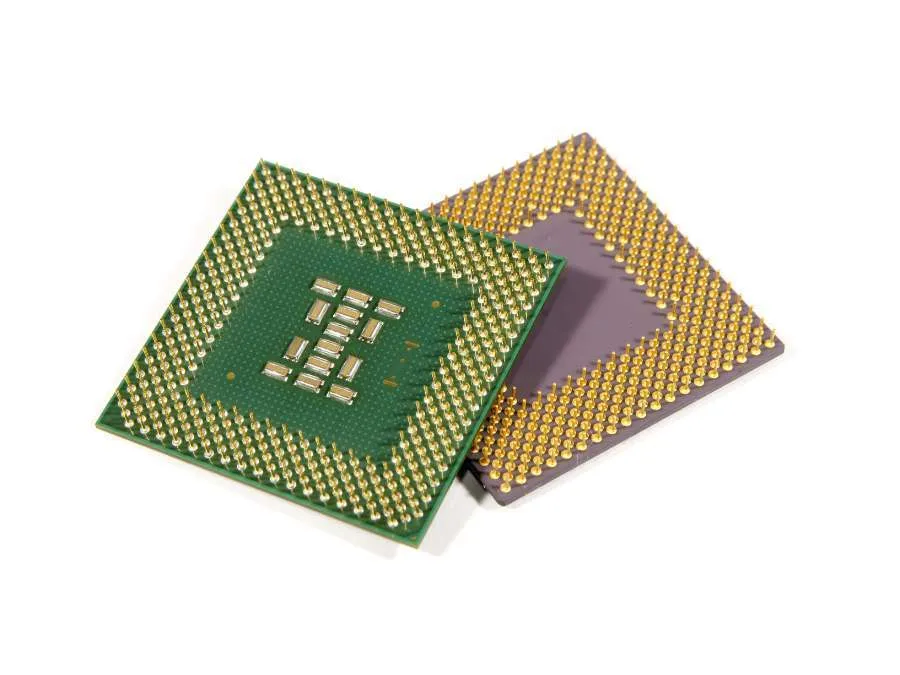
The processor acts as the brain of the car camera system, handling tasks like image processing. It processes the raw data from the image sensor, compresses it into video files, and prepares it for storage. Supertek produces processors that are designed to deliver reliable capacity, enhancing the quality of footage for a clear and dependable recording experience.
Storage Medium
Car cameras need a reliable storage medium, usually in the form of an SD card, to save recorded footage. The storage medium must be able to handle continuous recording and overwrite old footage when space runs out. Higher-capacity SD cards allow more video storage, which is useful for longer trips or for business vehicles that need to record extensive driving hours.

Power Supply
The power supply keeps the car camera functioning, whether it’s connected directly to the vehicle’s battery or powered by a built-in rechargeable battery. Many car cameras connect to the car’s electrical system through a power adapter. A stable power source is essential for uninterrupted recording and to prevent data loss.
3. How Does Car Camera Work?
A car camera works by continuously recording video footage while the vehicle is in use, capturing everything happening on the road. It starts recording automatically when the car is turned on, allowing drivers to focus on driving without needing to activate it manually. This footage is saved on a storage device which can later be reviewed if needed.
The camera operates in a loop, meaning it records new footage over the oldest footage once the storage is full. This way, the camera always has the most recent events captured. Some car cameras are also equipped with motion detection, so they can record even when the car is parked, capturing incidents like bumps.
4. Benefits of Using Car Cameras
Using a car camera offers a range of advantages that can improve driver safety and accountability. Here are the key advantages of installing a car camera:
Accident Evidence
Car cameras are widely used to capture real-time footage of incidents on the road, providing reliable video evidence in case of an accident. This footage can help determine who was at fault, protecting drivers from false claims and aiding in insurance claims. Having a video record can make the claims process faster and easier.

Parking Assistance
Many car cameras come with features like backup and side cameras that help drivers park more accurately. These cameras provide a clear view of what’s behind or beside the vehicle, reducing the chance of hitting obstacles or other cars. This added visibility can be particularly useful in tight or crowded parking spaces.

Enhanced Security
Some car cameras have motion sensors that detect movement around the vehicle, even when parked. This feature allows the camera to start recording if there’s suspicious activity nearby, helping to deter theft or vandalism. For business vehicles, this extra security feature can be valuable in protecting assets.
5. Different Types of Car Cameras and Their Uses
Car cameras come in various types, each designed for specific purposes to help drivers stay aware and safe on the road. Here are some common types of car cameras and how they are used:
Front-Facing Dash Cameras
Front-facing dash cameras are mounted on the windshield and capture everything that happens in front of the vehicle. They are used for recording traffic events and capturing potential accidents on the road. Many drivers rely on these cameras as they provide clear footage of car accidents that may occur in front of the car.
Rear-View Cameras
Rear-view cameras, often called backup cameras, are mounted on the back of the vehicle and help with reversing by displaying what’s behind the car. They’re useful for avoiding obstacles when backing up in parking lots. Supertek offers rear-view camera modules that are designed to meet industry standards, providing reliable visibility for safer parking.
Dual-Lens Cameras
Dual-lens cameras record both the front and the interior of the vehicle simultaneously. They are popular with rideshare drivers or fleet operators who want to monitor both the road and the behavior of passengers or drivers. This type of camera is especially helpful for maintaining security inside the vehicle and for recording events outside as well.
360-Degree Cameras
A 360-degree camera system combines multiple cameras positioned around the vehicle to give a complete view of the surroundings. The combined footage creates a bird’s-eye view, which helps drivers deal with tight spaces or busy areas. This type of system is especially beneficial for larger vehicles and those frequently driven in crowded urban settings.
6. Steps to Install a Car Camera
Installing a car camera is a straightforward process that can enhance driving safety and provide valuable video footage. Following the right steps can help you get the camera set up quickly and securely. Here is a simple guide to the main steps of installing a car camera:
Step#1 Choose the Right Location
Decide where to place the camera, typically on the windshield near the rearview mirror for a front-facing dash cam. This location provides the best view of the road while keeping the camera out of the driver’s direct line of sight. Make sure the spot allows the camera to capture a clear view without obstructions.
Step#2 Clean the Surface
Before mounting the camera, clean the area on the windshield to help the adhesive or suction cup attach firmly. Dirt or dust on the surface can prevent the mount from sticking properly. Use a clean clothes and a bit of window cleaner to prepare the area.
Step#3 Attach the Mount
Secure the camera mount to the chosen location on the windshield, making sure it’s firmly attached. Most mounts use either adhesive tape or a suction cup to stay in place. Adjust the angle so the camera is pointed directly at the road for optimal recording.
Step#4 Connect the Power Cable
Run the power cable from the camera to the vehicle’s power source, usually the 12V cigarette lighter or a USB port. Many people hide the cable along the edges of the windshield and tuck it under panels to keep it neat. This keeps the cable out of sight and prevents it from interfering with driving.
Step#5 Test and Adjust
Once the camera is installed and connected to power, turn it on to test the view and recording quality. Adjust the angle if needed to capture the best possible footage of the road ahead. Make sure all features, like recording and motion detection, are working as expected before heading out.
7. Common Issues and Troubleshooting Tips
Car cameras may encounter some common issues over time. Addressing these problems quickly can help maintain the quality of recordings and keep the device functioning well. Here is a table of typical issues with car cameras and some practical troubleshooting tips:
| Issue | Cause | Solution | Tip |
| Blurry Video Quality | Dirt or smudges on the lens, poor focus, or incorrect angle. | Clean the lens with a soft, lint-free cloth and adjust the focus or angle as needed. | Check the lens regularly for dirt or fingerprints to maintain clear footage. |
| Camera Fails to Power On | Loose connections, faulty power cable, or issues with the vehicle’s power outlet. | Check all connections and replace the power cable if needed. Test the camera with another outlet. | Use a power cable specifically designed for your car camera model to avoid compatibility issues. |
| Storage Full | SD card is full or damaged, or loop recording is disabled. | Enable loop recording to overwrite older footage and replace the SD card if it’s damaged. | Use a high-capacity, high-speed SD card to avoid storage issues during long trips. |
| Overheating | Continuous recording in hot conditions or exposure to direct sunlight. | Let the camera cool down and avoid leaving it in direct sunlight when parked. | Use a heat-resistant mount and park in shaded areas when possible. |
| Unresponsive or Freezing Camera | Outdated firmware or SD card compatibility problems. | Update the camera firmware and reformat or replace the SD card. | Regularly check for firmware updates from the manufacturer to keep the camera running smoothly. |
| Poor Night Vision | Low-quality sensor or incorrect night mode settings. | Adjust night mode settings or invest in a camera with a better sensor. | Look for cameras with advanced night vision features like infrared or enhanced low-light performance when choosing a model. |
This table covers some of the most common issues car cameras may face and practical solutions to keep them running smoothly. By addressing these problems quickly, you can maintain the quality of your camera’s performance. Troubleshooting these issues is straightforward, helping you get the most out of your car camera with minimal interruptions.
8. 3 Factors to Consider When Buying a Car Camera
Choosing the right car camera involves assessing different factors that impact performance and functionality. Buyers can select a camera that meets their needs by understanding these factors. Here is a list of essential factors to keep in mind when purchasing a car camera:
#1 4K Video Resolution
Video resolution is an important factor, as it determines the clarity and detail in the recorded footage. For instance, 4K resolutions allow for clearer visuals, making capturing license plates and other important details easier. For businesses, high-quality footage can be essential for documentation and evidence.
#2 Night Vision Capability
Night vision allows the camera to capture clear footage in low-light conditions, such as nighttime driving or dimly lit areas. This feature is particularly useful for vehicles used around the clock or in areas with poor lighting. A camera with strong night vision capability can provide more reliable recording regardless of the time of day.
#3 Weather Resistance
Weather resistance is an important consideration, especially for cameras exposed to harsh outdoor conditions. For example, a camera with a sturdy build and weather-resistant design is better suited to withstand extreme temperatures, rain, or direct sunlight. For fleet vehicles, this durability can extend the life of the camera and reduce replacement costs.
Conclusion
Understanding how a car camera works helps you see the value it brings to the safety and driving experience. From capturing crucial footage to providing security while parked, car cameras are a smart addition to any vehicle. Select a camera that meets your needs and can improve safety and peace of mind on the road.
In conclusion, this guide highlights the benefits of car cameras, helping you make an informed choice. Many camera providers come with high price tags, but at Supertek, we offer low customization costs and free samples to make quality more accessible. Contact us today to explore how we can support your car camera needs with reliable solutions that fit your budget.
Discover More Options
If you’re searching for more choices, explore our full collection of products. We’ve picked out some great options for you:
If you’re looking for more insights, we’ve put together a list of helpful articles that you might enjoy:
Still haven’t found what you’re looking for? Don’t hesitate to contact us. We’re available around the clock to assist you.


